It's support.precisely.com. You will want to register, if you haven't already, and then open a ticket.
*Precisely Software Inc.
Original Message:
Sent: 02-05-2026 10:02
From: Purvi Mehta
Subject: Warning Message in execution.
Hi Sigrid,
Can you please share a link to raise ticket? I want to save it. It always gets wrong place.
Thanks
Purvi
------------------------------
Purvi Mehta
Self-Registration Shared Account
------------------------------
Original Message:
Sent: 02-05-2026 09:57
From: Sigrid Kok
Subject: Warning Message in execution.
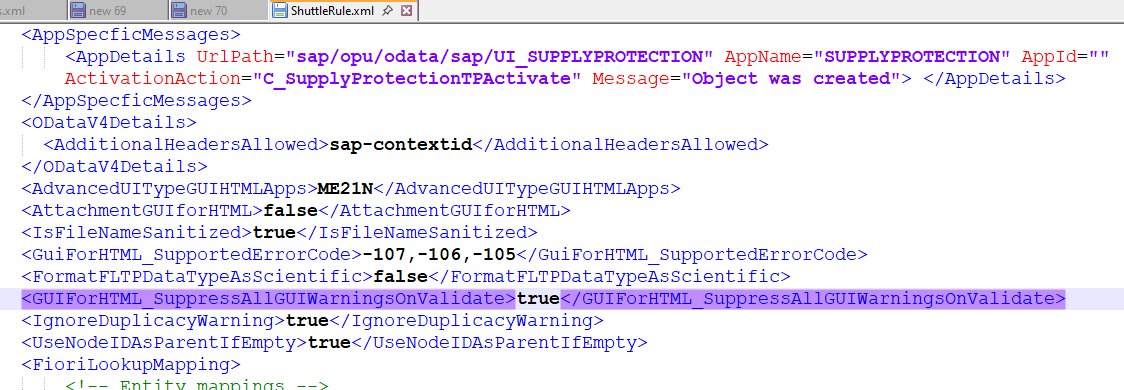
Yes, Purvi, that is what it shows in Shuttlerule.xml.
If you feel the messages you are receiving hinder usage, please do open a support ticket.
Best Regards,
Sigrid
------------------------------
Sigrid Kok
*Precisely Software Inc.
Original Message:
Sent: 02-05-2026 09:23
From: Purvi Mehta
Subject: Warning Message in execution.
Hi Singrid,
I can already see this.

That means it's already suppressed right?
Please advise if I should create ticket for this?
------------------------------
Purvi Mehta
Self-Registration Shared Account
Original Message:
Sent: 02-04-2026 18:42
From: Sigrid Kok
Subject: Warning Message in execution.
HI Purvi
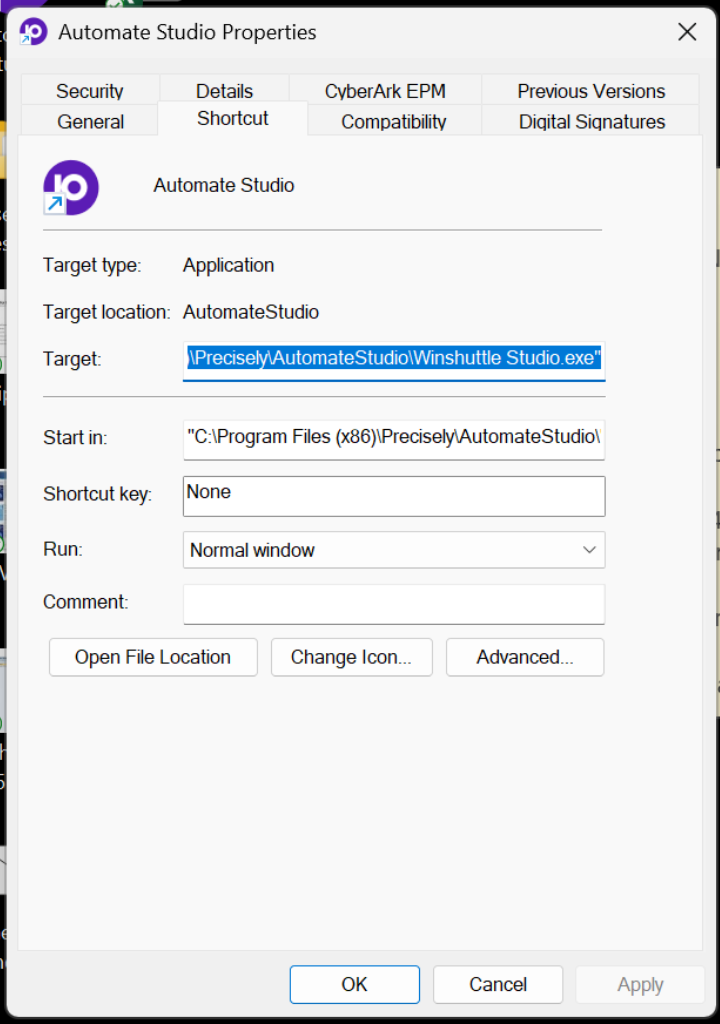
It's in the Target c:\program files (x86)\Precisely\AutomateStudio
Best Regards,
Sigrid
------------------------------
Sigrid Kok
*Precisely Software Inc.
Original Message:
Sent: 02-04-2026 17:22
From: Purvi Mehta
Subject: Warning Message in execution.
Hello Sigrid,
I see below on my Studio Properties. Can you please tell me exact location I can find above?
------------------------------
Purvi Mehta
Self-Registration Shared Account
Original Message:
Sent: 02-04-2026 10:34
From: Sigrid Kok
Subject: Warning Message in execution.
Hi Purvi
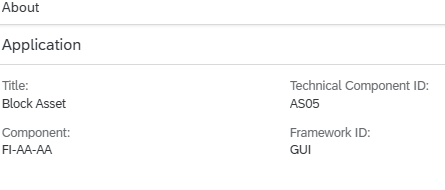
I'm assuming your Post Asset is a GUI for HTML app - like AS01? Here I am showing AS05 - Framework ID is GUI - find that by opening the app and clicking on your initials/picture on the top right and then clicking About:
Shuttlerule.xml is located in your install directory for Studio. For me that is C:\Program Files\Winshuttle\Studio but it's likely that you would have C:\Program Files\Automate\Studio - this is for 64 bit installs. Otherwise swap Program Files to Program Files (x86)
Hope that helps.
Best Regards,
Sigrid
------------------------------
Sigrid Kok
*Precisely Software Inc.