Automate

Welcome to the Automate community!  Please feel free to start a discussion in the discussion tab or join in a conversation.

Here are some useful links where you can find more information:

Product Announcements  Ideas Portal

Discussions

Members

Resources

Events

 View Only
  • 1.  VA01 - Loop not working

    Posted 3 hours ago

    I have added loop to the script but having issues when test run.

    In total I have 4 lines (D), however at first only the first line was captured. Now it seems to have some other issues. Did I miss out any step for the script?


    ------------------------------
    Huey_Chinn Tan
    Elanco US Inc
    ------------------------------


  • 2.  RE: VA01 - Loop not working

    Employee
    Posted 2 hours ago

    Hi Huey_Chinn Tan, 

    Based on the screenshots, I suspect one of the following:

    1. The loop is not advancing to the next Excel row correctly.
    2. SAP is moving to a different screen after the first item.

      Please run the script in debug mode and observe the SAP screen at the point where the script halts. If the problem continues, open a support ticket with the script file and debug screenshots on the support portal.

    Thanks

    Jagat


    ------------------------------
    jagat kaushal
    *Precisely Software Inc.
    ------------------------------


  • 3.  RE: VA01 - Loop not working

    Employee
    Posted 2 hours ago

    Hi Huey_Chinn Tan

    Thank you for reaching out. Regarding this error, one possible reason is that when you create a line item, you enter data on the first line item, and once you create the loop, the script keeps using the same cursor position.

    The best way to create a loop around line items is as follows.

    1) Add the header data that is Sold to Party, Ship to Party, etc 

    2) Press Page down from your keyboard and then add the data on the last line of the screen
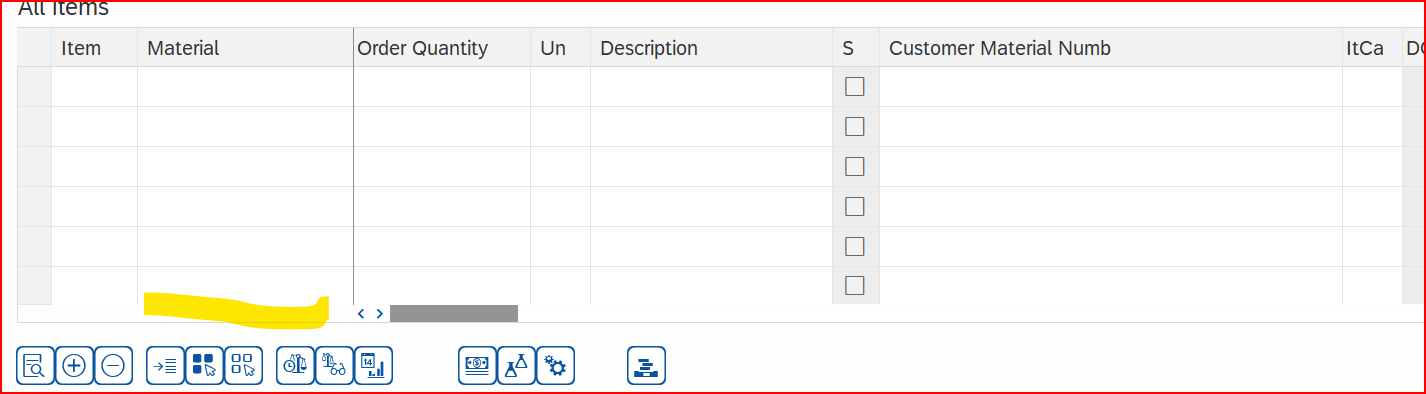
    3) Now click on the Add Button at the bottom of the screen to shift the Line Item to the top level.
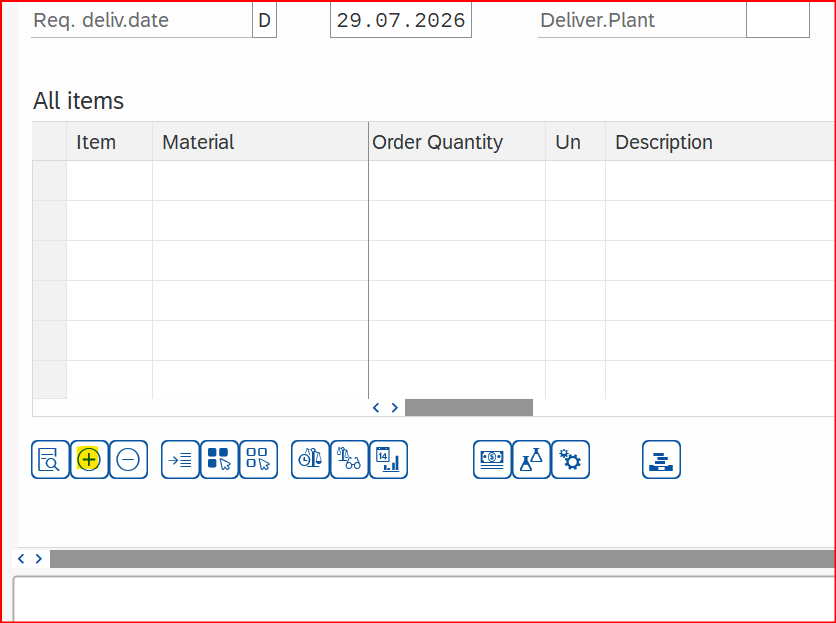
    4) Create a Loop around these fields in the Studio.

    You can also refer to the documentation below.

    https://help.precisely.com/r/n/Automate-Studio/Connect/20.3/en-US/Automate-Studio-with-Connect-User-Guide/VA01-step-by-step_-Creating-a-sales-order-with-reference

    If this does not resolve the issue, run a script in debug mode to identify where it is failing, or please create a support ticket by logging in to support.precisely.com; one of the engineers will assist with debugging the script.

    Thanks

    Archana C Singh


    ------------------------------
    Archana Chandar
    *Precisely Software Inc.
    ------------------------------