Did you know that Evolve / Studio Manager can automatically save a copy of your Excel output file to the server at the end of a script execution? This is particularly useful when you want to keep a server-side record of every run.
This feature is controlled by the "Save to Library" setting, configurable at the Application level in the Evolve / Studio Manager Admin interface.
How to configure it:
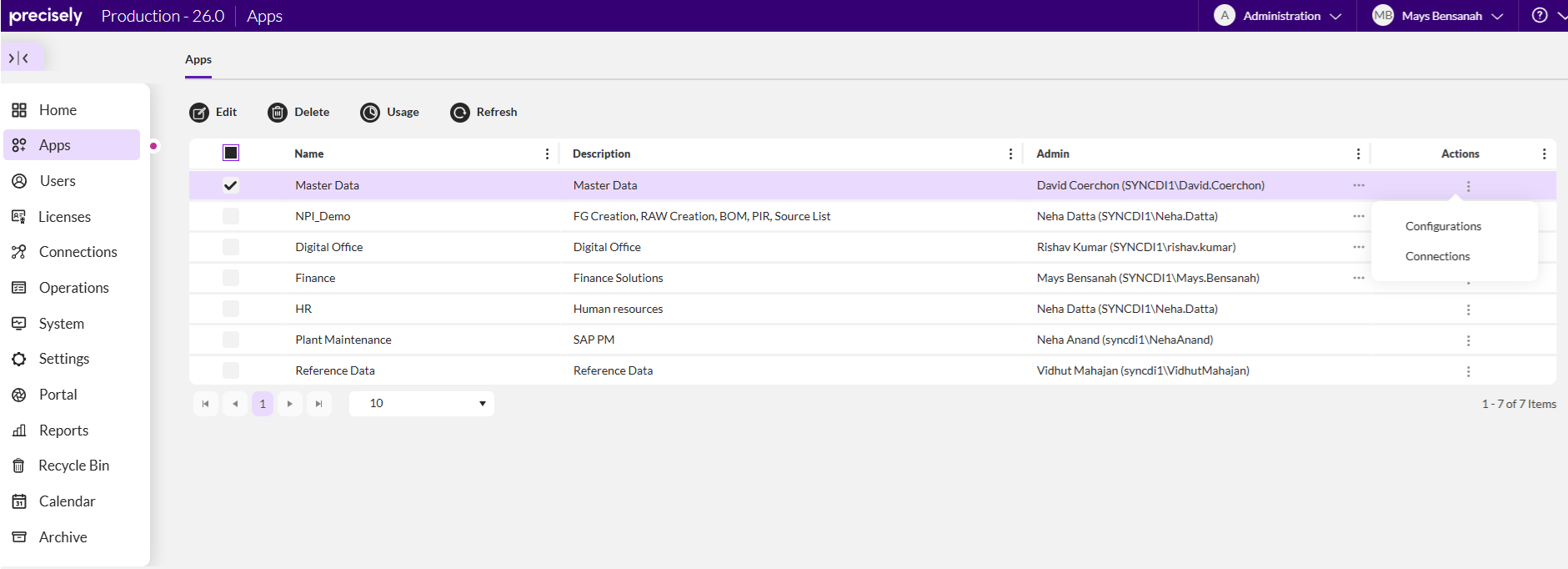
Step 1 – Go to Apps in the Admin interface
Navigate to Apps from the left-hand menu. You will see the list of all your Evolve applications.
Select the application for which you want to enable the setting (e.g., Master Data) and click on the three-dot menu (⋮) to access its Configurations or go directly via the Edit button at the top.
Step 2 – Open the App Preferences > Run Preferences
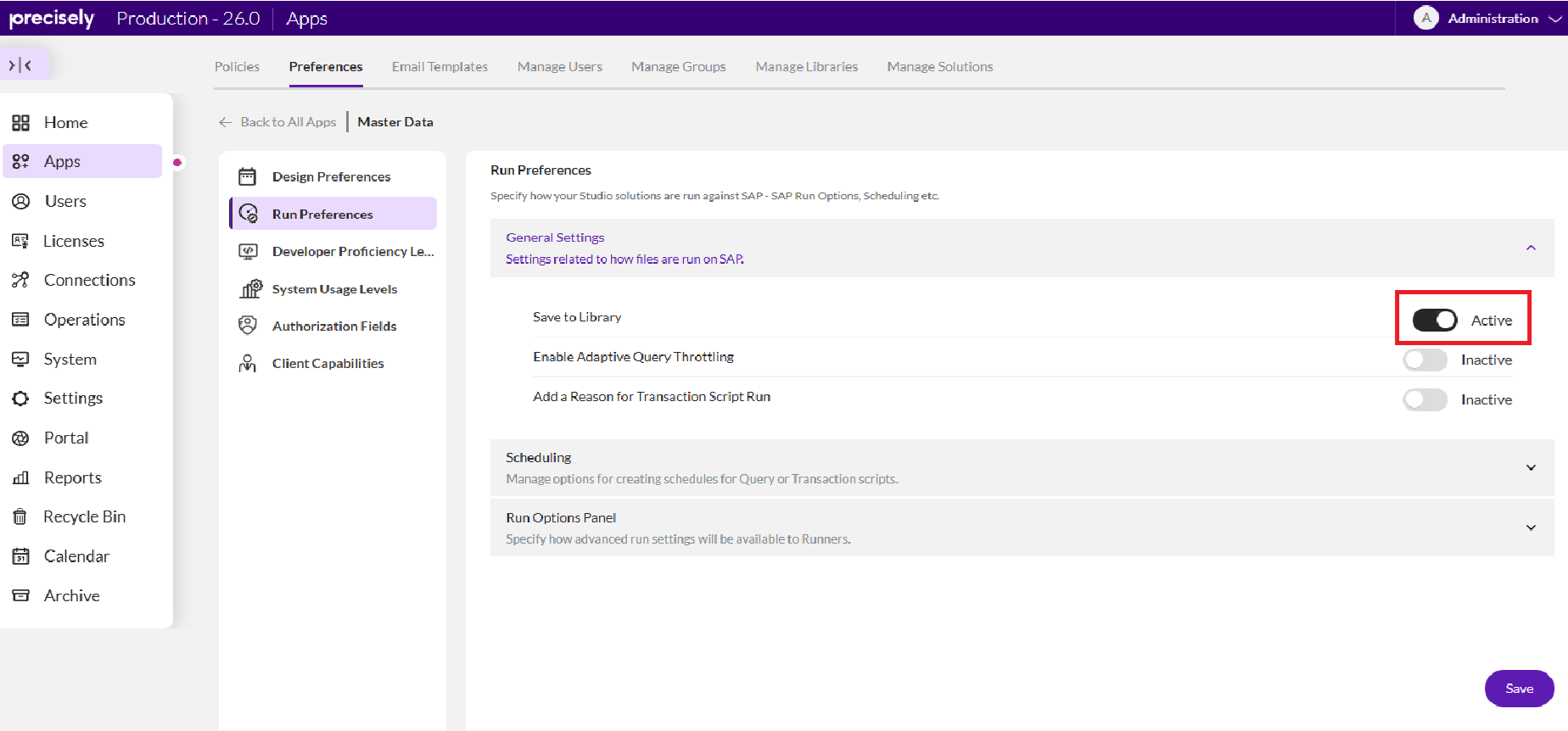
Inside the application, navigate to the Preferences tab, then select Run Preferences in the left-hand panel under the app name.
Step 3 – Enable "Save to Library"
Under General Settings, locate the Save to Library toggle and switch it to Active.
Once active, Evolve / Studio Manager will automatically store a copy of the Excel output file at the end of each execution.
Don't forget to click Save at the bottom of the page to apply the configuration!
------------------------------
Mays Bensanah
Senior Sales Engineer
*Precisely Software Inc.
------------------------------