Tip of the Week – Evolve - Dynamical Validation in forms from data sources
In Evolve solutions, we want to check that the data entered is complete and correct before moving to the next step in the process.
One way to do that is with Rules in Forms. But what if the rules vary based on other data, such as country? For example in the US, bank account length is 9 digits – all numeric, but in another country it might be 6 digits or 15.
One way to accomplish this is use a data connections to dynamically pull data that can be used in rules, such as length and format. You can use data connections like SQL Server table or Reference Data List (RDL) or Snowflake table (in newer releases) that contain the lookup field(s) and validation information. Below we have country code and bank account length and format in a regular expression that is expected.
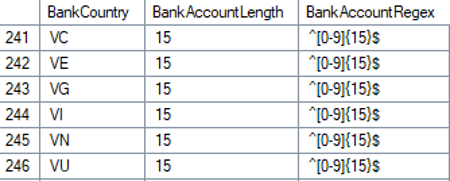
If you're new to regular expressions, aka regex, there are a lot of websites that can help you with the format and testing such as https://regex101.com
· ^ means the start of a string
· [0-9] means it expects numeric input with digits 0 – 9
o For [a-z] – lower case characters
o For [A-Z] – upper case characters
o For [A-z] – this means it accepts upper and lower case
§ Note I forgot the order and entered [a-Z]. The site told me I had the order in correct – it's upper to lower not lower to upper case
§ 
o For [0-z] – it's digits 0-9 and lower and uppercase characters
· {15} means it expects 15 of the 0-9 inputs – this is the length it expects (there are ways to specify ranges of lengths, as well)
· $ means the end of the string
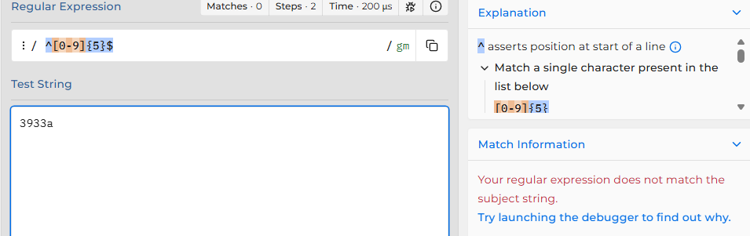
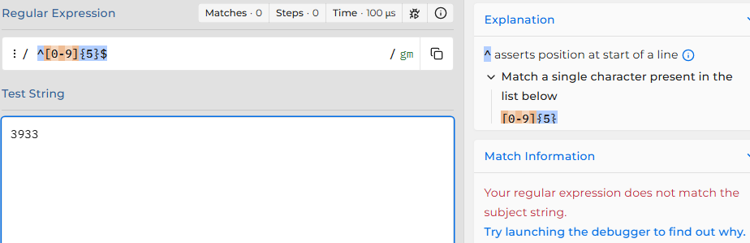
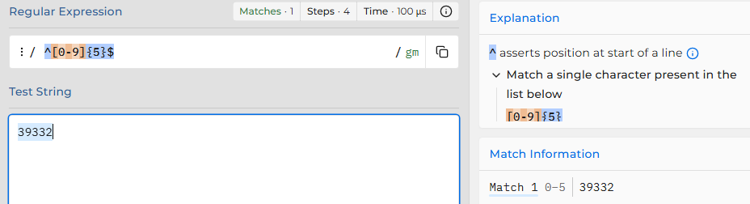
Here I am testing the regex for a country which expects 5 digits
This isn't a match because of the "a" is not a digit from 0-9.
This is not a match because it is too short
This is a match with 5 digits from 0-9
In addition, I searched for regular expressions for bank accounts worldwide, and I was able to find a text file that had almost everything I needed for this use case. I used this as the basis for the lookup table.
Then use a rule to pull that format from the table/RDL and use it in a rule to check the format.
Setting this up in a data connection allows you to change the formatting expected, and the solution will dynamically read it for the next workflow instance that uses it.
Here's an example:
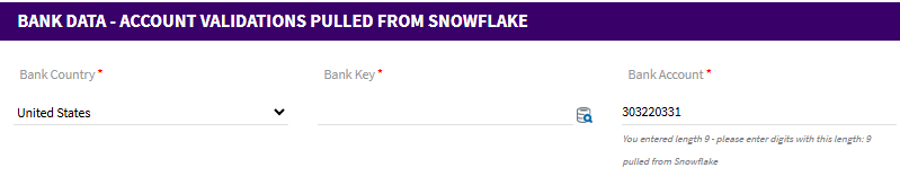
Initially the bank account is empty. The sublabel contains the current length plus the length it is expecting based on the country. Please note a length check is up to you – the regular expression will throw an error if it's too long or short, i.e. the right format of characters and/or digits. I added it to make it easier for business users filling out this information to know the length and what it's expecting.
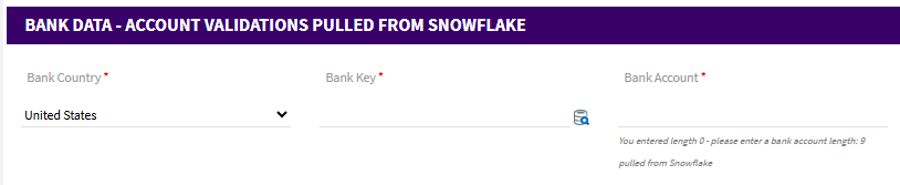
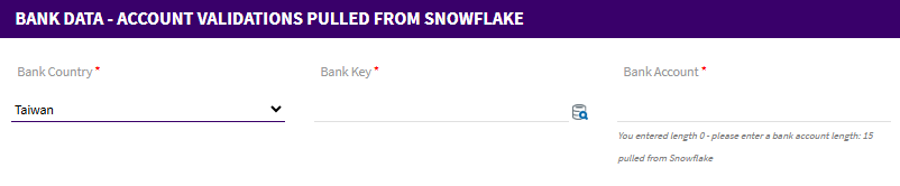
If you change the country, the length/format will dynamically change
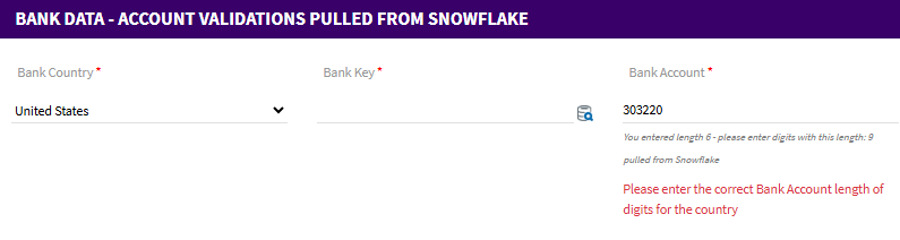
Once I type in a value, it will show the length of the entry plus the length it expects plus an error
If it's the right length but the wrong format, you will still see an error
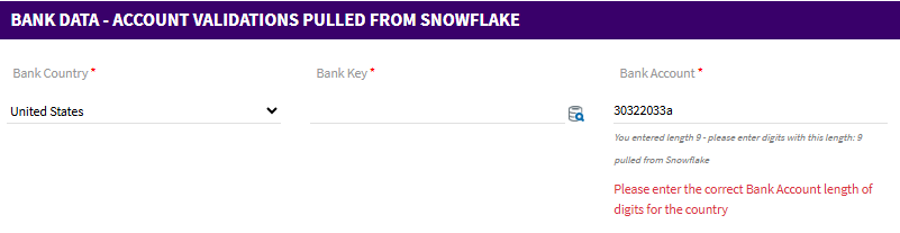
These checks will stop the workflow from moving forward until the format of the entry is correct.
Once it's in the right format, the label will show the right digits entered and you won't have an error message
Steps to add to your solution
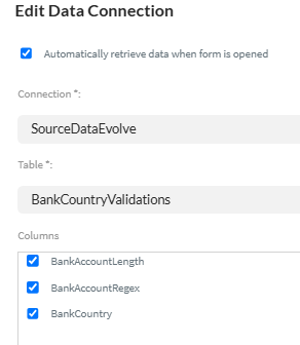
1. Add the data connection – check the box to retrieve the data when the form is opened, since you'll be running rules against it.
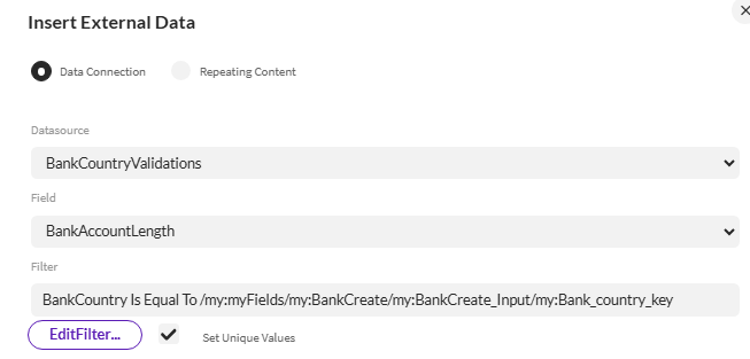
2. Add rules to retrieve the length (optional) and Regex from the data connection
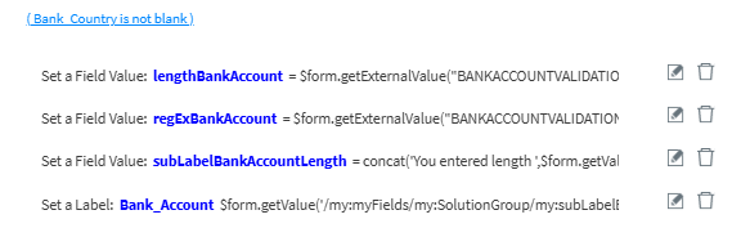
The above rules:
· pull from the data source the length and regular expression format for the bank account
· gets the length of the data entered thus far
· sets the sub label for the field to tell the person filling out the form what it is expecting and what it has done so far
Example
3. Now add a rule on the field they are entering to check the format – such as Bank account
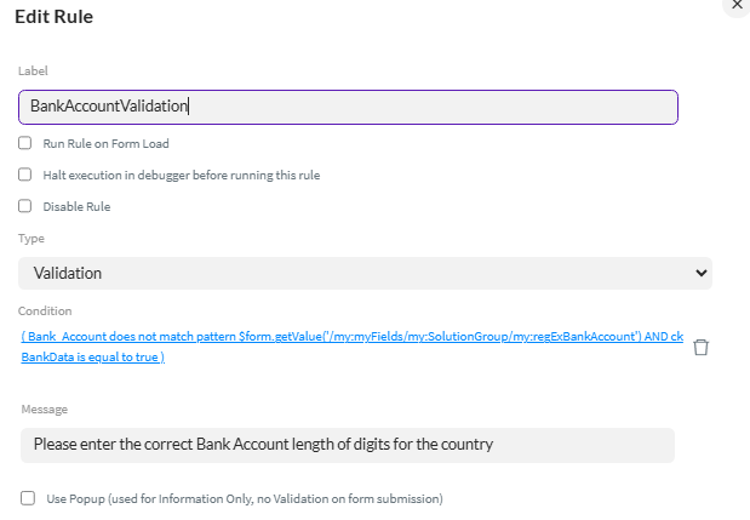
- It's a validation rule
- The condition checks to see if the field I entered data into does not match the pattern I retrieved from the data connection – in this case the Bank Account Regular Expression. Since entering bank data is optional in my solution, I also check to see if the user selected to enter bank data.
- If the condition is true, then it will display the error message from the Message field above.
The same logic could be used for postal codes or phone numbers, for example, based on country code. But the similar logic can be applied to any type of validation logic that varies based on other data in the solution.
Have you used this approach in an Evolve solution? If so, please share the fantastic work you have been doing with the community.
Happy solution building!
Sigrid
------------------------------
Sigrid Kok
*Precisely Software Inc.
------------------------------