Hi Andrew
The best way is to have the FM installed and use the method Oddgeir mentioned.
The second best way is a BAPI as it does an upsert - update if it exists or add if it doesn't.
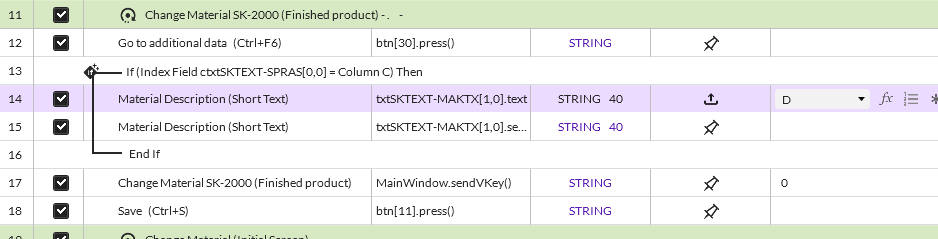
If you can't use either, GUI scripting works just fine with an Indexed IF. You have to overtype the language to capture it as an index.
After recording in Expert view I see this. Add the Indexed IF on language - compare it to a column value

Then you unselect language key, as it's just an index

The script will look something like this
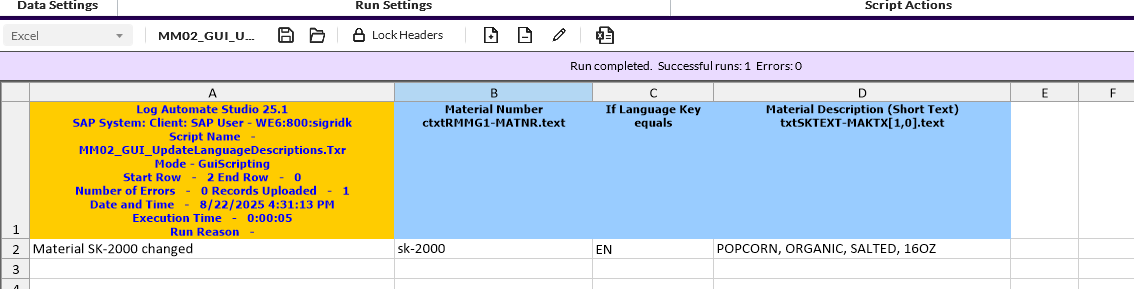
run it
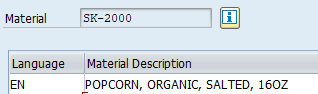
Check it's updated.
You can add a regular loop if you are updating more than one language description
I'm attaching an example I created in ECC.
Hope that helps,
Sigrid
------------------------------
Sigrid Kok
*Precisely Software Inc.
------------------------------
Original Message:
Sent: 08-22-2025 04:05
From: Andrew Lewis
Subject: MM02 Update Alt Language Descriptions
Hi Oddgeir
Thanks for the quick response! I am unable to use this feature using T-Code MM02 and receive a pop up error telling me so. Is there another way to update a description without using a BAPI because it is company policy to use a Change Number for all master data changes.
Thanks
------------------------------
Andrew Lewis
Global Master Data Analyst
QuidelOrtho
Wales
United Kingdom
www.QuidelOrtho.com
------------------------------
Original Message:
Sent: 08-22-2025 03:53
From: Oddgeir Wold
Subject: MM02 Update Alt Language Descriptions
Hello Andrew,
You don't need to use GUI script to change/add texts.
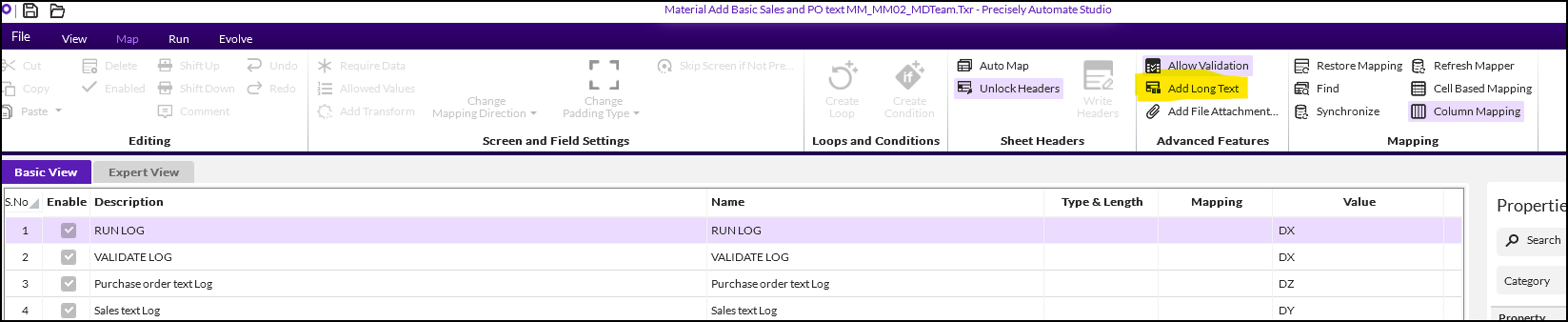
Click on the button "add long text" and this gives you the option to add new languages, but also if you choose any existing language it would overwrite the existing text. If you have multiple lines of text needed you can also maintain in the same excel cell by "alt+enter" to get to the next row in same cell and script will add this as pr cell input. (sales and purchase text)
------------------------------
Oddgeir Wold
Masterdata Expert
Yara International Asa
Oslo