Hey Ben,
These are the options available to use with the "Add Long Text" feature in Studio 20.2 (as of Aug 2022)- This feature hugely simplifies the long text read and update.
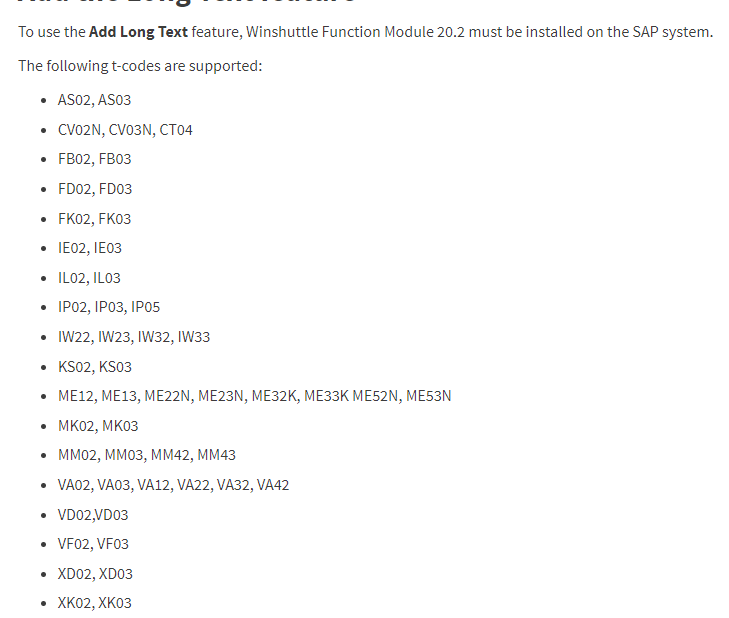
As you see, IW53 is not listed. We may add more Tcodes in the future (we do some with each release) and Product Mgt is receptive to Customer requests. So please feel free to create one.
Fortunately, Reading text is much easier than writing -- so here are some options that can help you now:
1. Use Query and read from table STXL -- In table STXL - the field STXL-CLUSTD has the long text
you would need to know the Object type STXL.TDOBJECT and for service notfication, this value should be QMEL
and STXL.TDNAME = Service notification Number (with all its leading zeroes)
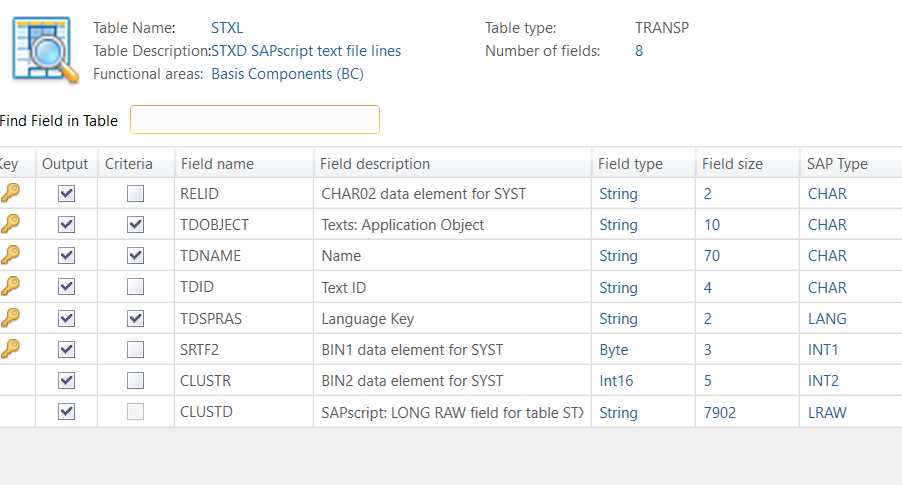
OutputExample:

2. Use Direct and call the RFM - RFC_READ_TEXT
Input Structure:
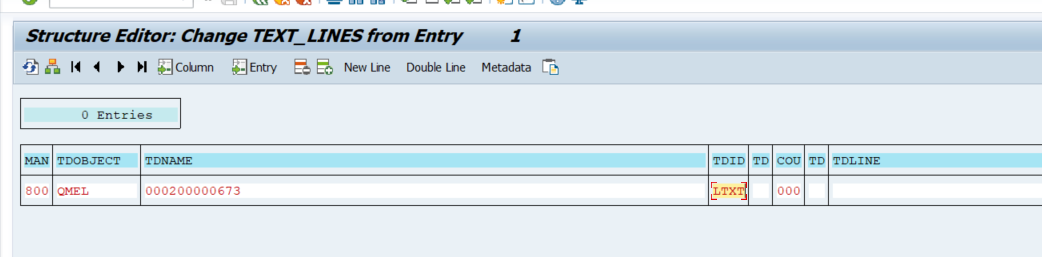
Output Example:

The hardest part in this was to find out the Object Type for any given long text.
This table has them - TDWOT
I was tripping up with using SMQMEL, turns out it was just QMEL --- I had to run some queries to figure this out.
Hope this helps you make some progress.
Jayasri
------------------------------
Jayasri Varyani | SE
Winshuttle North America |
------------------------------