Automate

 View Only
  • 1.  How to select certain form attachments for email plugin

    Posted 20 days ago

    I want to include the items from ONE attachment control ("Biller_Attachments") in an email I'm sending in my workflow.

    However, with the following settings I am receiving all attachments from all attachment controls, as well as a PDF of the form. I don't want those.


    And here is an (edited photo) of the email. I want only the "AAATESTFILE.txt" that I uploaded to the "Biller_Attachment" group.

    And not the form PDF or any items from the Requestor Attachments.

    Is this possible? Willing to use Javascript!


    ------------------------------
    Alexander Hutchinson
    RAYTHEON COMPANY
    ------------------------------


  • 2.  RE: How to select certain form attachments for email plugin

    Employee
    Posted 20 days ago

    Hi Alexander 

    Thank you for reaching out to Precisely. 

    This is a known challenge in Automate Evolve. By default, when a workflow email is configured to include attachments, it sends:
    •  All attachments from all attachment controls on the form
    •  A PDF of the form itself
    There is no out-of-the-box setting to filter attachments by a specific control in the standard email action.

     Recommended Solution is to Use the Add Attachment Plug-in

    The Add Attachment Plug-in enables you to attach a document automatically to a specific attachment control at a given point in a workflow.
    You can follow the documentation below.
    https://help.precisely.com/r/t/1016755532/2023-12-31/Automate-Evolve/pub/Latest/en-US/Automate-Evolve-User-Guide/Add-Attachment-Plug-in
    If you need further assistance, you can create a support ticket at support.precisely.com.
    Thanks
    Archana


    ------------------------------
    Archana Chandar
    *Precisely Software Inc.
    ------------------------------


  • 3.  RE: How to select certain form attachments for email plugin

    Employee
    Posted 17 days ago
    Edited by Sigrid Kok 17 days ago

    Hi Alexander

    @Archana Chandar is correct that you cannot filter attachments

    However, you can do this by creating a view with the one attachment you want to send and use this view for a task and/or with an email node. 
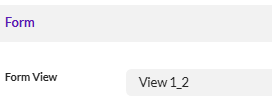
    In testing this, my workflow
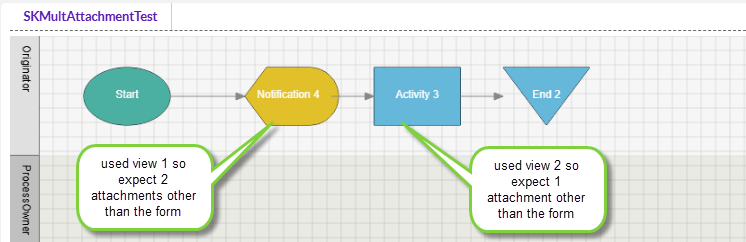
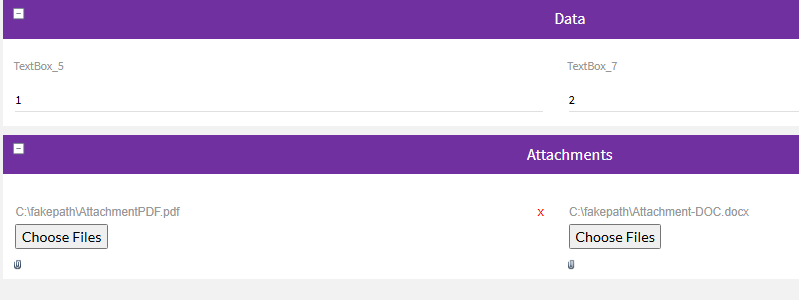
    my initial view had two attachment controls. 
    Email node used view 1 so I receive this

    2nd view removed one of the attachments - so I only have that one attached to the email.
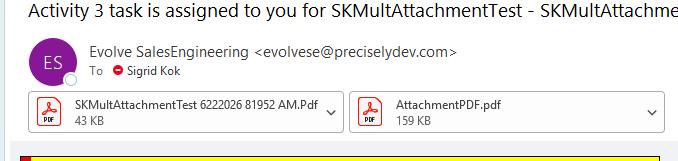
    Long story short, create a view with what you want for that task or email, and the attachments to the email received include just that.

    Hope that helps!

    Sigrid


    ------------------------------
    Sigrid Kok
    *Precisely Software Inc.
    ------------------------------