Hi Benjamin
Usually with GUI scripting you can either record the field that finds the right row or use the pop-up to capture disabled fields
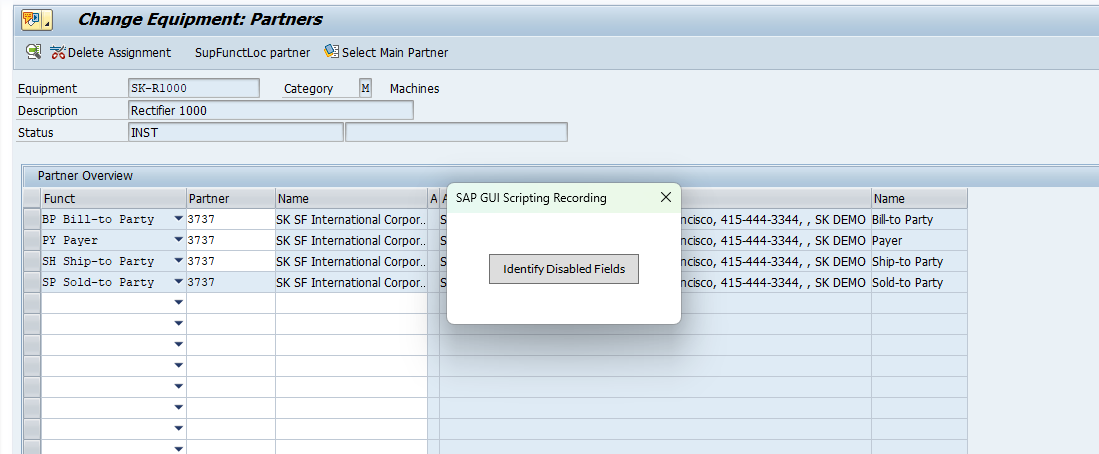
That pop-up comes up when you start a Gui scripting recording. But don't click on that button until you are where you want to capture something, like the partner type.
Then click on the row and read only field to capture it - you'll see a red box
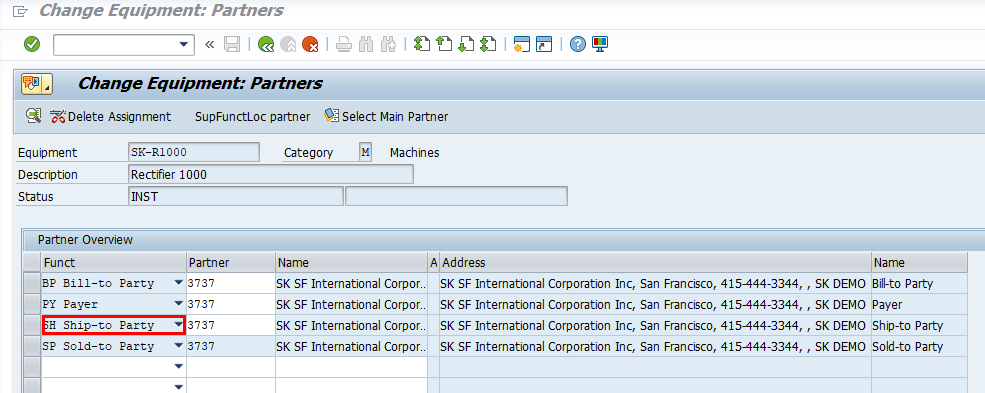
Then click the button in the pop-up again so that it doesn't capture other stuff you don't want
then update what is on that row - in this case partner
Normally you will see the field captured as a download field - name (geeky name) ends with .text, but in this case it captured it as .key. I updated it to .text.
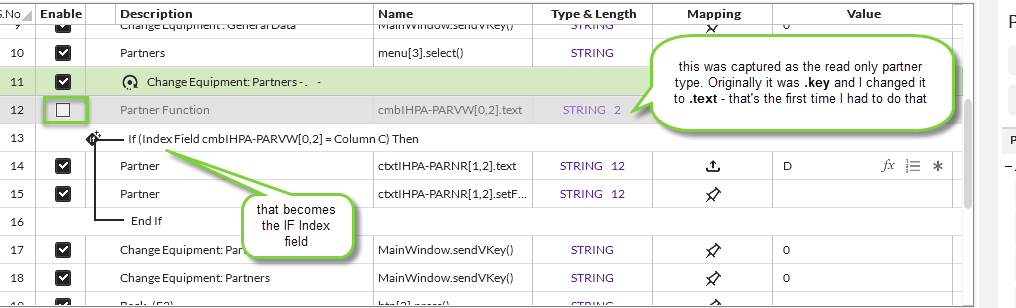
Then you add an IF around the fields you are updating - in this case the partner - include the .focus in the IF
Choose Indexed IF and use the field captured for partner type - and then check the box to compare it to a column in the excel file.

Afterwards don't forget to disable the index field because you don't want to download it - you are just using it as a lookup.
The other weird part of this use case, you can't use SH for the lookup - it has to be spelled out like you see it in SAP
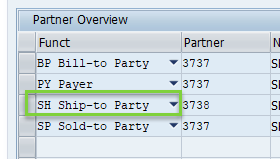
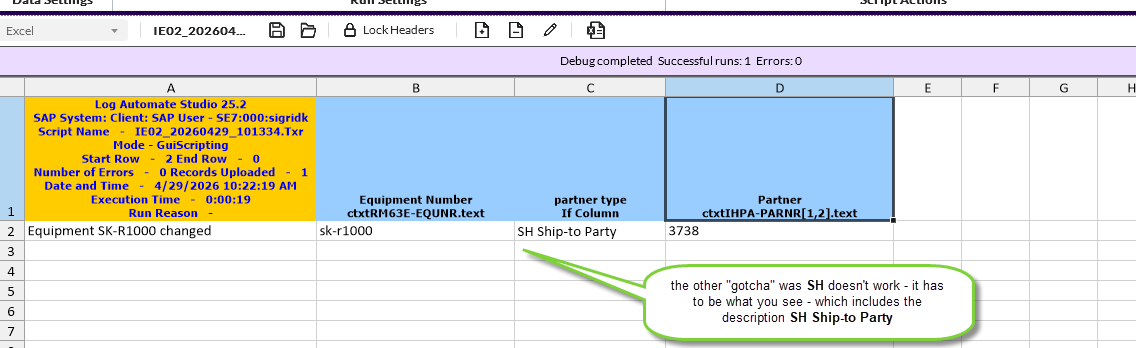
Quick example attached.
Hope that helps,
Sigrid
------------------------------
Sigrid Kok
*Precisely Software Inc.
------------------------------