I appreciate the response back and will open up a ticket.
My default data file is outside.
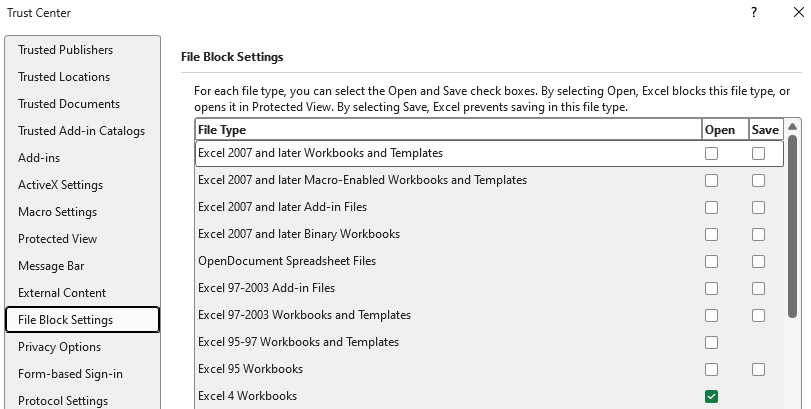
In your File Blocking Settings if you check the Open & Save checkboxes where Excel 97-2003 Workbooks and Templates do you get the error then?
Original Message:
Sent: 03-11-2026 13:49
From: Sigrid Kok
Subject: Copy from Automate Studio / Paste to Excel Fails and Produces Error
Hi Kurt
Got it - please still open a support ticket. There's something going on that I can't reproduce and they need to check out what is happening on your pc(s).
Is your default data file on your pc - outside of the control of OneDrive?
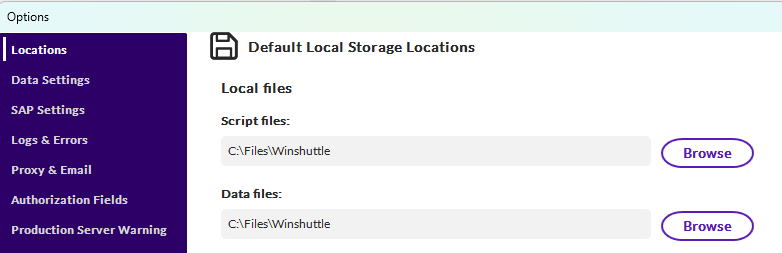
Could it be that IT has some new controls on your Excel settings/files? I know ours keeps protecting us so well that sometimes we can't get our work done. :)
Here's my block settings for comparison - noting I have slightly elevated permissions on my PC
Best Regards,
Sigrid
------------------------------
Sigrid Kok
*Precisely Software Inc.
------------------------------
Original Message:
Sent: 03-11-2026 12:44
From: Kurt Marshman
Subject: Copy from Automate Studio / Paste to Excel Fails and Produces Error
Sigrid,
Step 1
Open Precisely Automate Studio
Step 2
Select any Txr extension
Step 3
Type anything into ANY cell or run the script
Step 4
Copy what you typed or any results from script
Step 5
Paste into a blank Excel workbook
Results in automatic error
I checked file permissions and they are Full Control and all access for System and User
Excel 97 - 2003 Workbooks option is greyed out
Running from Studio
Doesn't matter if you copy the results from the script running or just enter data like I did above with hello or goodbye.
This is happening on all Txr files.
Stapuff
------------------------------
Kurt Marshman
Old World Industries, LLC
Original Message:
Sent: 03-11-2026 11:54
From: Sigrid Kok
Subject: Copy from Automate Studio / Paste to Excel Fails and Produces Error
-You mentioned a file type is greyed out. What file type is this?
-Are you running from Studio or the Excel add-in?
-if from Studio, is the file read only? This happens when you have special formatting or images, etc.
More details will help support help you more quickly.
Best Regards,
Sigrid
------------------------------
Sigrid Kok
*Precisely Software Inc.