Hi Pankaj
Our systems are not configured the same, so I was just giving an example. I tried running yours and it took me to the wrong tabs.
I looked at your script, and it looks like you did a good job with it, as it's a tricky tcode (I much prefer ME22 :) ). Please remember that this tcode remembers where you left off in the item details, so it's a good practice to return to the first tab before saving.
Have you tried to run it in debug mode? That usually tells me I forgot an IF statement or see that it's on the wrong tab, etc.
Best Regards,
Sigrid
------------------------------
Sigrid Kok
pse | Winshuttle North America
------------------------------
Original Message:
Sent: 12-19-2019 09:44
From: Pankaj Patel
Subject: SAP Purchase Order delivery date change for multiple line
Hi Sirgid,
Attached is my script:
I also tried your script but getting below error messages:
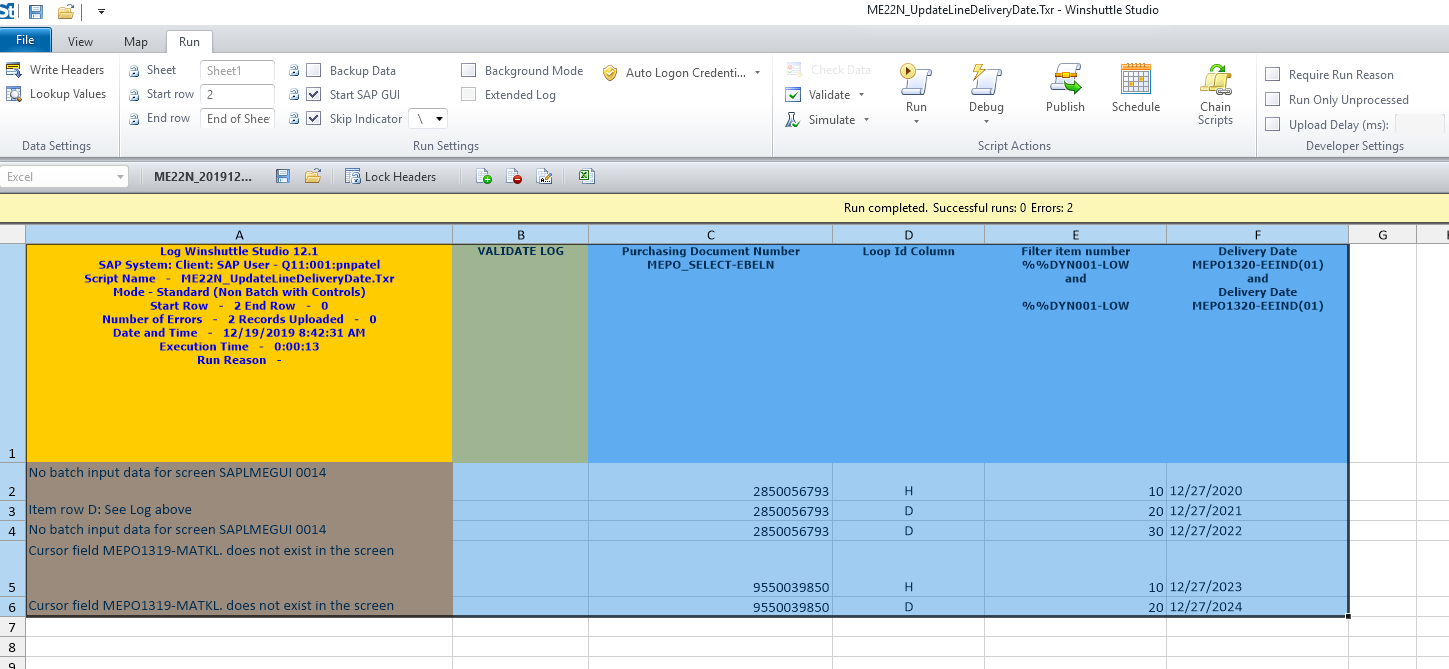
Thanks,
Pankaj Patel.
Advisor Business Systems
TIS Enterprise Support, SAP Enterprise Solutions
ENBRIDGE
TEL : 713-627-4855 | CELL : 832-520-7089 | FAX : 713-386-4030 | pankaj.n.patel@enbridge.com
5400 Westheimer Ct. Houston, TX / 77056
enbridge.com
Integrity. Safety. Respect.
Original Message------
Hi Pankaj
Can you please post your script and share if there are any messages?
Note that ME22N is a bit of a bear to automate, if that's what you're using. I typically use the FILTER option and move over item number to find the right row. I do that for the first row. Then I record a second row that doesn't add any filter fields - it just enters the value I'm filtering on. Attaching a simple example built in v12.1. I updated the delivery date in the item details tab - first row only.
Best Regards,
Sigrid
------------------------------
Sigrid Kok
pse | Winshuttle North America
------------------------------