Hi Sigrid,
Many thanks for your reply. I will give this a go.
Regards,
Damian
------Original Message------
Hi Damian
It's much simpler to automate in one of the non-"workbench" t-codes, like CJ20N.
With CJ20, you can pass in the project and even the WBS element you want to work with. That puts you directly where you want to do the work.
If working with multiple WBS elements, you can do a find. To find a particular WBS element
- go to the basic data tab ( you only have to do this for the first one)
- click to expand all of the levels (you only have to do this for the first one)
- click in the WBS element column
- click the binoculars on top
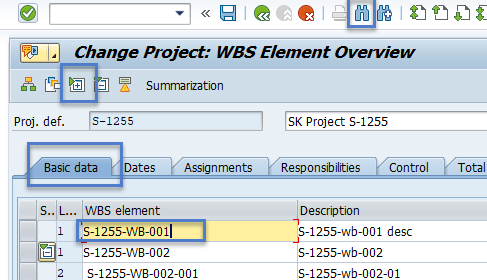
- enter the WBS element you want to find and click position
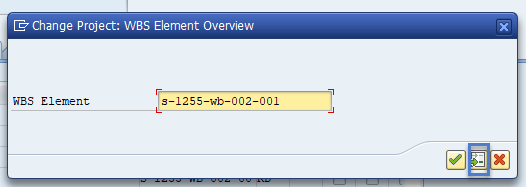
- It moves the WBS element you find to the first row and you can then work with it, changing values, going to details,etc.

I'm attaching an example I created a few months ago and may have previously posted.
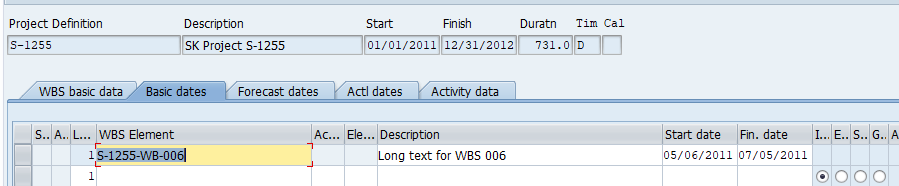
If you only need to find one or two wbs elements, it's easiest to pass in the wbs element into cj20 to work with the single row:

your WBS will always be the first row.
Hope this is help.
Best Regards,
Sigrid
------------------------------
Sigrid Kok
PSE | Winshuttle North America
------------------------------