Hi Jeff
What version of Studio are you using? If v11 or v12, you can enable a document attachment for materials in Studio. Just record an MM03 and enable document attachment - choosing BDS.
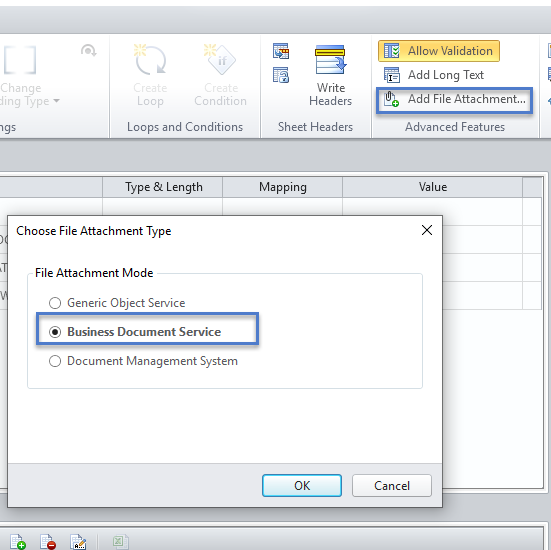
You'll have extra fields to map
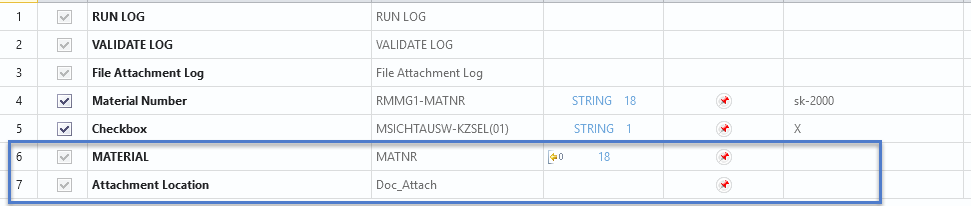
A second material number, and then the attachment location, i.e. path and file name, C:\mydrive\myfile.pdf
If this option is not available and you want to record it, you'll need to use GUI scripting recording mode. Why? Because the pop-up to navigate your windows folders won't be captured in any other mode.
Hope this helps!
Sigrid
------------------------------
Sigrid Kok
PSE | Winshuttle North America
------------------------------
Sigrid Kok
PSE | Winshuttle North America
------------------------------