Hi,
I am new to winshuttle and would like to check if someone can help on my problem?
We recently migrated to S4 HANA, I need to create some templates -like assets, vendor etc
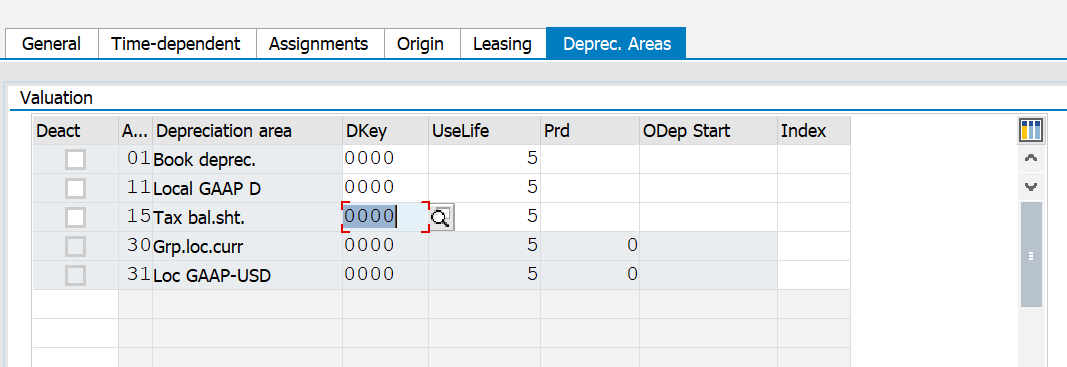
My question is: When I go to asset creation (AS01) everything is fine until in the depreciation area.
How can make one column in mapper field in depreciation key for all depreciation area?
Sample:
If I put 0000 to 01. book Dep then the 11, 15 should be updated as 0000 as well.
Same goes for useful life and depreciation start date.
Im having a hard time figuring this one. hope someone can help.
Thank you.
------------------------------
Angeline Descalsota | SAP MDM
LAZADA SOUTH EAST ASIA PTE. LTD. | 085817785646
------------------------------