Hi Lynn
You can get the BP number 2 ways.
(1) from the SAP message
(2) download the generated BP number from the last screen after you save and before you exit (or create other roles with it)
Am attaching a script that creates the BP general role and has both
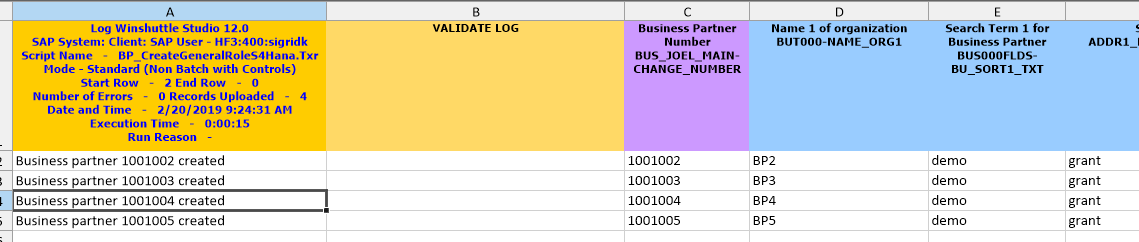
So you can extract the BP number from column A with the Run Log via excel formulas
Or you can download the generated BP number after the save, which is what I have in column C
For Column C
(1) I went to expert mode in the mapper
(2) went to view to show check show disabled fields
(3) scrolled to the bottom, which is after the SAVE (- ook for ok code =BUS_MAIN_SAVE. In SAP you'll see something like this which shows the new BP number - this is what you want to download

(4) my next action was exit, which is ok code =BUS_MAIN_EXIT, under neath there you enable

(5) choose to download it to a column of your choice
Hope this helps,
Sigrid
------------------------------
Sigrid Kok
PSE | Winshuttle North America
------------------------------