Hi Automate Community!
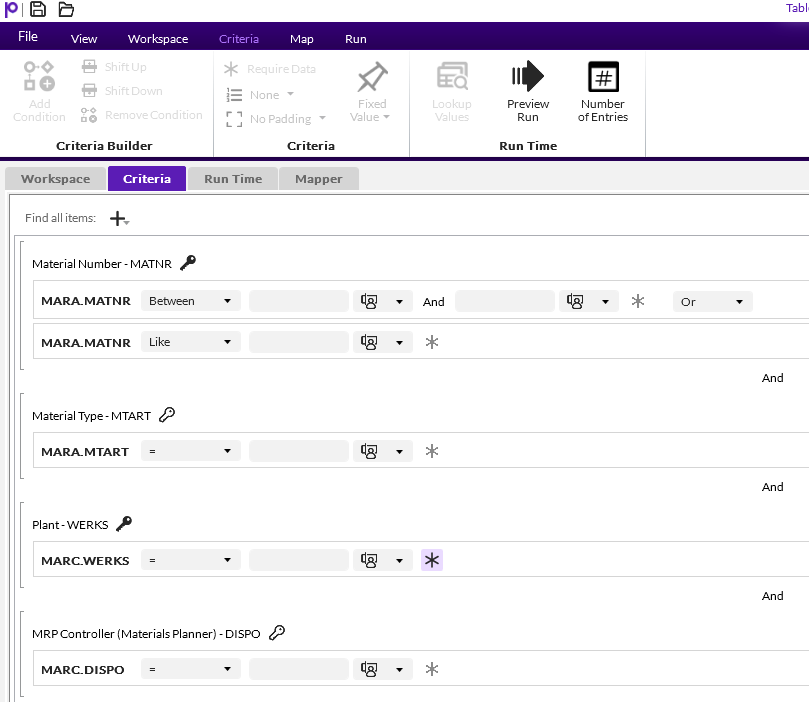
I have a tip on how you can improve data quality in SAP by requiring fields that must have data in SAP. This functionality is helpful because you can require data, even if it's not required in SAP. Before I dive into that, I want to mention that when you create Query scripts to pull data from SAP to Excel, you can require criteria fields to be filled in to limit what data gets pulled from SAP. In the criteria tab, simply click the asterisk for any criteria fields that need data. Here is an example:
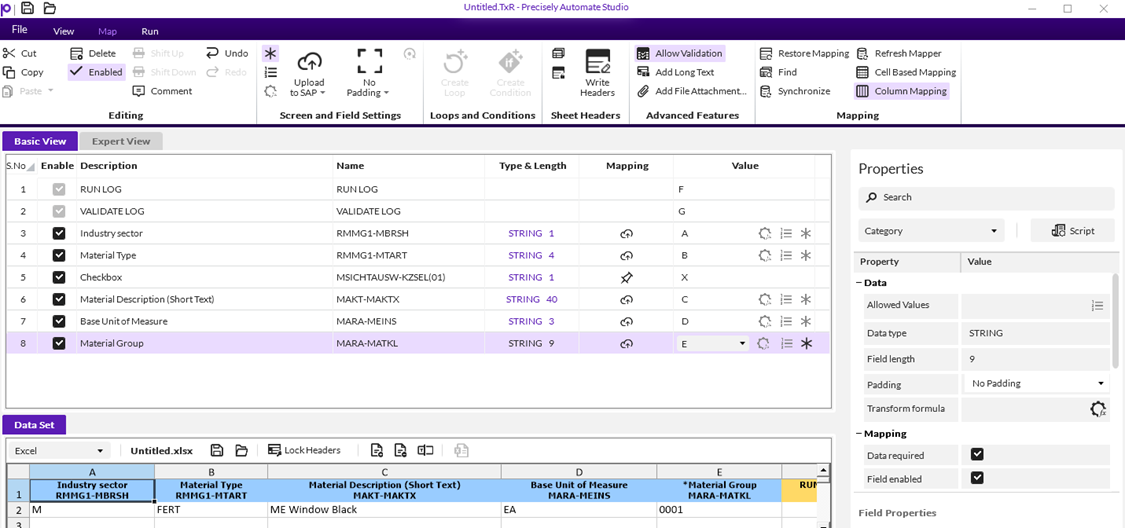
The required fields functionality can be applied to any of the modules. While Query is a little different because it's applied to the criteria fields, the other modules have the same functionality. When you're in the mapper, go to the field that needs to be required and click the asterisk on that row or click the row and check "Data required" in the properties panel on the right:
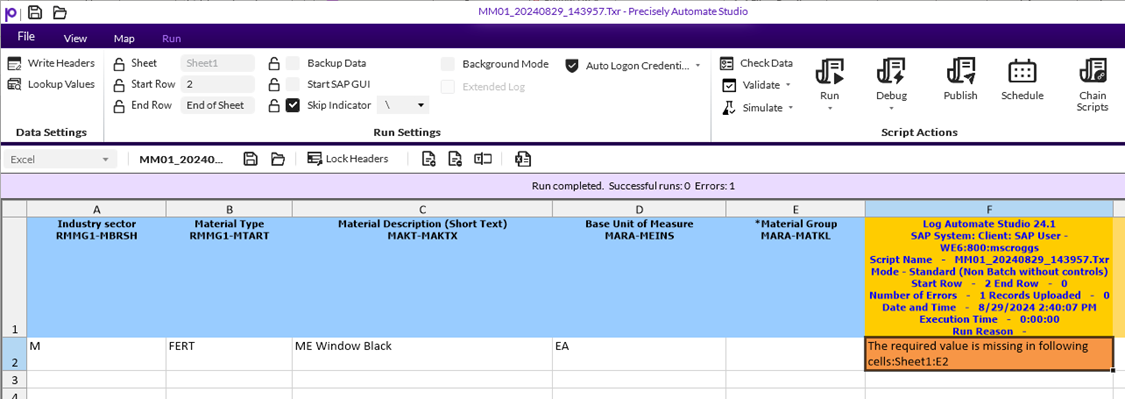
After applying this setting, users will be required to enter data for that field, even if it's not required in SAP. Here is an example of the log message if the user tries to validate or post the data without entering required data:
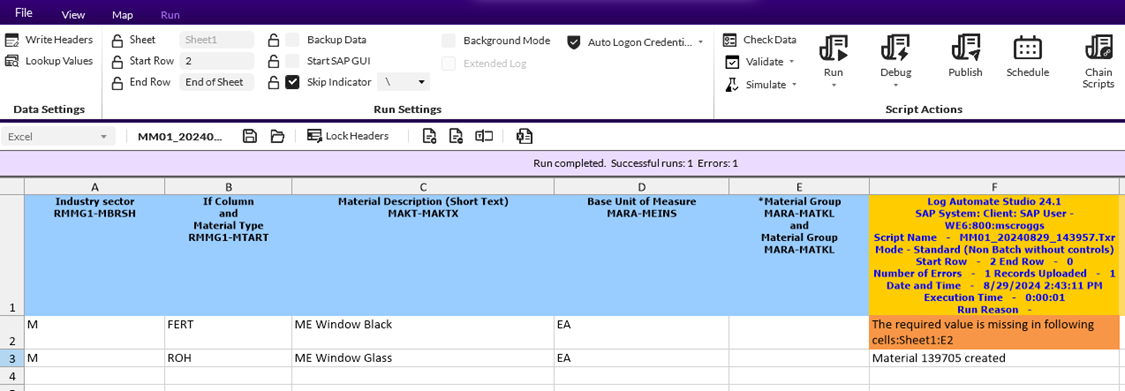
You can also create conditionally required fields by using if conditions. In the example I created, I copied material group and made the first one required. I put a condition around the first material group field that says if column B is equal to FERT then use this material group field which is required. I put a condition around the second material group field that says if column B is not equal to FERT then use this material group field which is not required.
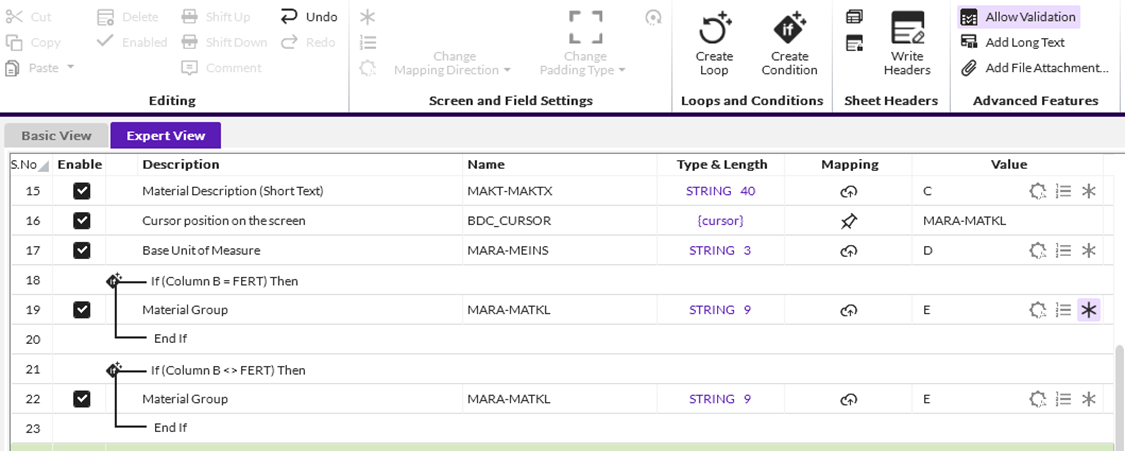
When I try to run or validate using these conditions, you'll see that I have an error for the row where column B equals FERT, and the material created for the row where column B does not equal FERT:
Thanks!
------------------------------
Maria Ebner
Precisely Software Inc.
------------------------------