Stop Guessing, Start Filtering!
Are you retrieving more data than you need? Inefficient API calls slow down your applications and waste bandwidth. The single most powerful tool for solving this is the OData $filter query option.
With $filter, you can tell the server exactly what data you’re looking for. Your Digital Access API returns only the relevant records—nothing extra—making your API calls faster, cleaner, and more efficient.
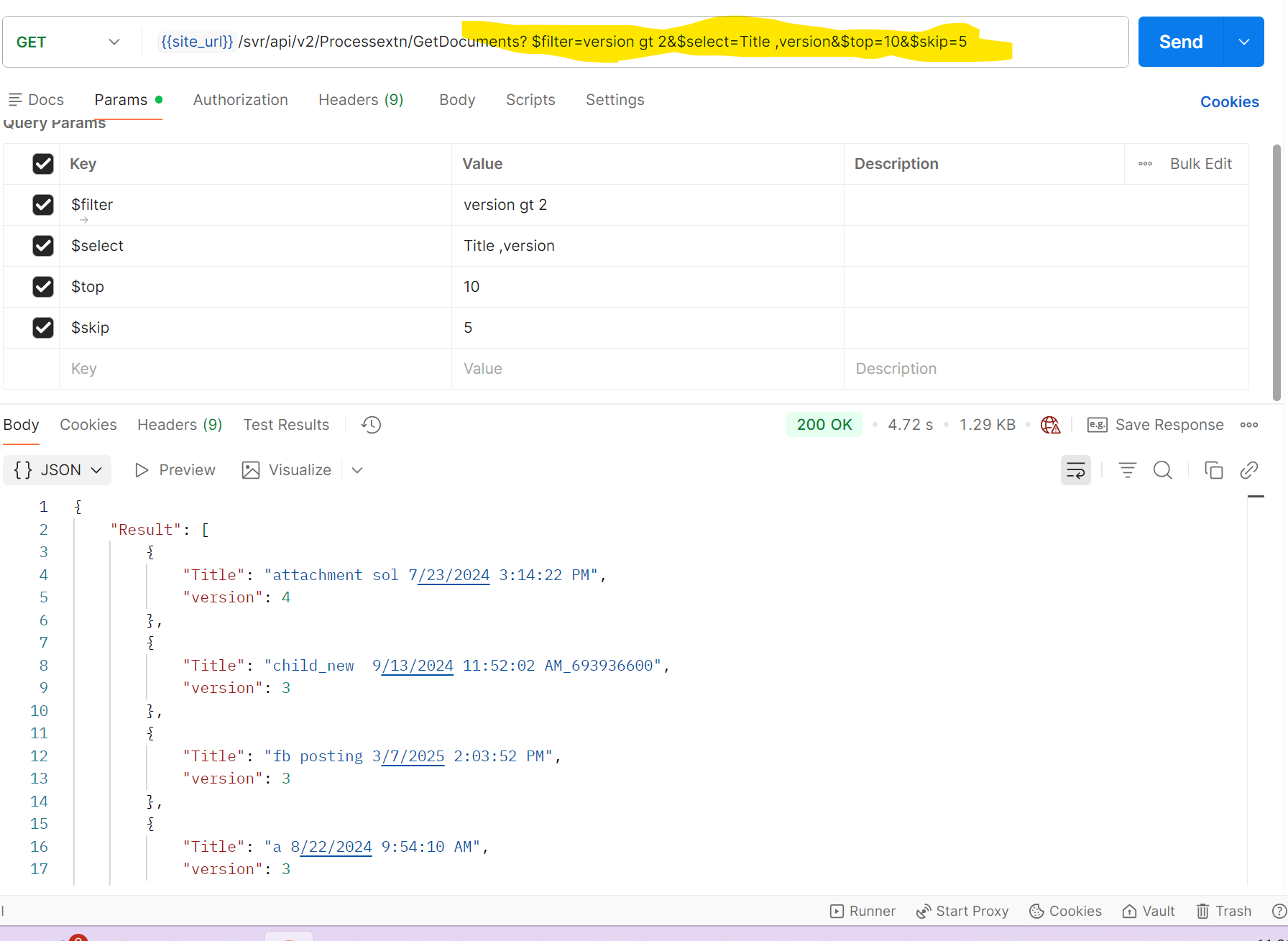
Anatomy of the $filter
The $filter is added to your API endpoint using a question mark (?) and uses a combination of properties, operators, and values.
| Component |
Description |
| Property Name |
The field you are filtering on (e.g., ProcessName, DueDate). |
| Operator |
The logical condition to apply (e.g., eq, contains, gt). |
| Value |
The data you are matching against (must be wrapped in single quotes for strings). |
examples using String Functions:
1. startswith(PropertyName, 'Value')
-
Syntax: $filter=startswith($propertyName, 'string_value')
- Example:
/svr/api/v2/Processextn/GetAllAssignments?$filter=startswith(ProcessName,'Manage')
-
Detail: This will only return assignments where the ProcessName field starts with the sequence of characters "Manage" (e.g., "Management Review," "Manager Approval," but not "Manual Setup").
2. contains(PropertyName, 'Value')
-
Syntax: $filter=contains($propertyName, 'string_value')
-
Example 1: /svr/api/v2/Processextn/GetAllAssignments?$filter=contains(ProcessName, 'Manage')
-
Example 2: /svr/api/v2/Processextn/GetDocuments?$filter=contains(Title , 'Manage')
-
Detail: These examples will return assignments or documents where the ProcessName or Title includes "Manage" at the beginning, end, or middle (e.g., "Manual Management," "Process Manager," "Management").
Other Essential OData Filter Types
In addition to string functions, OData supports powerful relational and logical operators:
A. Relational Operators (Comparison)
Used for simple comparisons on properties (numeric, date, or string).
| Operator |
Meaning |
Example Filter |
Description |
eq |
Equal to |
$filter=Status eq 'Completed' |
Status must be exactly "Completed". |
ne |
Not equal to |
$filter=UserID ne 100 |
UserID must not be 100. |
gt |
Greater than |
$filter=DueDate gt 2025-12-01 |
Due date is after Dec 1, 2025. |
ge |
Greater than or equal to |
$filter=Priority ge 3 |
Priority is 3 or higher. |
lt |
Less than |
$filter=CreatedDate lt 2025-01-01 |
Created before Jan 1, 2025. |
le |
Less than or equal to |
$filter=Value le 50.50 |
Value is 50.50 or less. |
B. Logical Operators (Combining Conditions)
Used to combine multiple filter conditions.
| Operator |
Meaning |
Example Filter |
Description |
and |
Both conditions must be true. |
$filter=Priority eq 1 and Status eq 'Active' |
Assignment must be Priority 1 AND Active. |
or |
At least one condition must be true. |
$filter=Priority eq 1 or Priority eq 5 |
Assignment is Priority 1 OR Priority 5. |
not |
Negates a condition. |
$filter=not endswith(Title,'PDF') |
Title does not end with "PDF". |
C. Other String Functions
| Function |
Purpose |
Example Filter |
endswith |
Checks if a value ends with a string. |
$filter=endswith(Title, '.xlsx') |
Other Essential OData Query Options
While $filter restricts which items you get, these options control how those items are presented, ordered, and formatted.
| Option |
Purpose |
Example URL Snippet |
Detail |
$select |
Specify which properties (columns) to return. |
?$select=ID,Title,DueDate |
Crucial for performance. Only fetch the data fields you absolutely need. |
$orderby |
Specify the order in which items are returned. |
?$orderby=DueDate desc, ID asc |
Sorts by DueDate (descending) and then by ID (ascending) for ties. Use asc (default) or desc. |
$top |
Limit the number of items returned. |
?$top=5 |
Returns only the first 5 records (often used with $orderby). |
$skip |
Skip a number of items (for pagination). |
?$skip=10&$top=5 |
Skips the first 10 records, then returns the next 5 (records 11-15). |
------------------------------
Divya Verma
*Precisely Software Inc.
------------------------------