Tip of the Week – Attaching documents to Journal Entries
Often there is a need to attach documents to an SAP Object, like a Journal Entry, which often needs to include:
- The Excel file in which you posted the objects, such as Journal Entry document(s)
- Supporting documents, which have information related to the posting
This can be beneficial for the auditing process because everything is in SAP in one place.
A quick review of how to do attachments in Studio Transaction where you are able to attach files to an SAP Object via scripts:
- Record the script – for Journal Entries, which may be FB50.
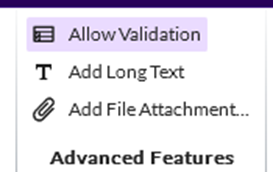
- Click Add File Attachment in the Advanced Features
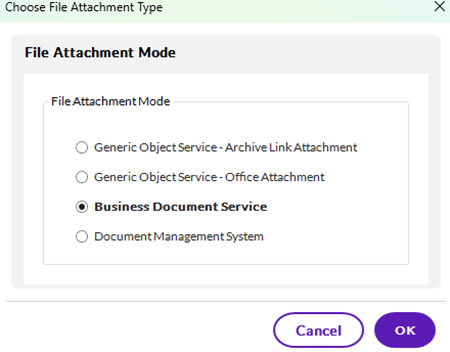
· Choose the mode of the attachment – ask your Basis team if you're not sure. BDS is common and attaches and stores the file in SAP. Document Management System usually involves a 3rd party system to store documents and stores the URL to the attachment in SAP.
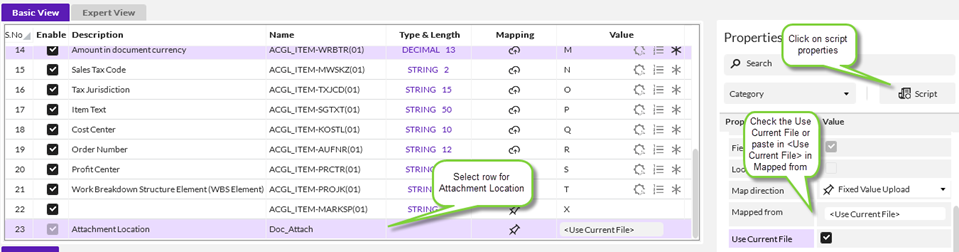
- Click on the line added to the bottom of the script for Attachment location

- You have 2 options for mapping the attachment with just Studio
- attach a file providing the complete path
- attaching the file you are running to post the journal entry
1. Map the Attachment location to the file you want to attach, like c:\tmp\MayInvoice.pdf
2. The current file – tag: <Use Current File>
-
- The attaches the excel file from which you ran the script(s)
- Go to the map tab
- Click on the row with the Attachment Location
- Click on the Script properties on the right
- Click on the Use Current File checkbox
-
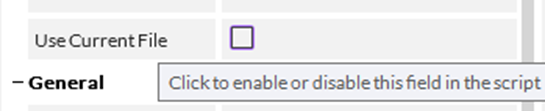
- Note if you don't see the checkbox in version 24.x+, you should hover your mouse over that area – it's there but may blend into the grey background.
- Note that you cannot do both at the same time, i.e. attach the current file and other files in one run.
Options in case you want to attach more than one file:
1. Embed your supporting documents in your Excel file and then use Use Current File. When you post the journal entry, it will attach the excel template, which has the supporting documents embedded in it.
2. Zip your supporting documents if you have more than one. Record a script to open your object – it could be BP or MM03. For Journal Entries, use FB03 and simply pass in the document number, the company code and year to open the document and then exit.
3. Create a script to attach documents and run it multiple times, once for each attachment.
To create a script to just add attachments, record opening the object and then exiting. No save or update is needed. For Journal Entries, that's FB03 – enter the needed information to open the document – document number, company code and fiscal year
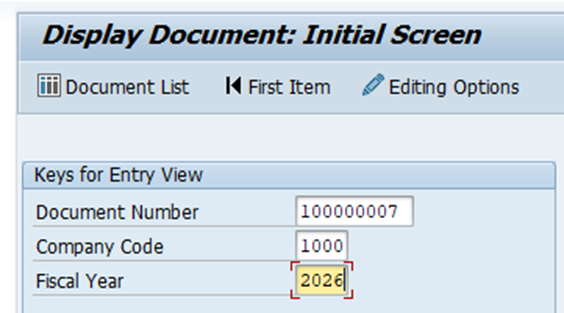
Hit enter to open the object – in this case a journal entry.
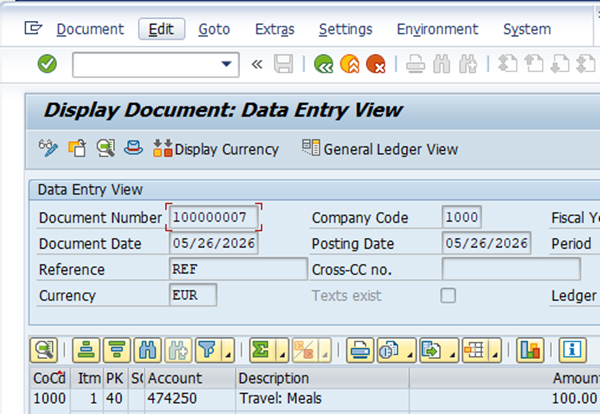
Now exit using the Yellow Up arrow on top. You don't have to save or do anything else – just open it and exit.
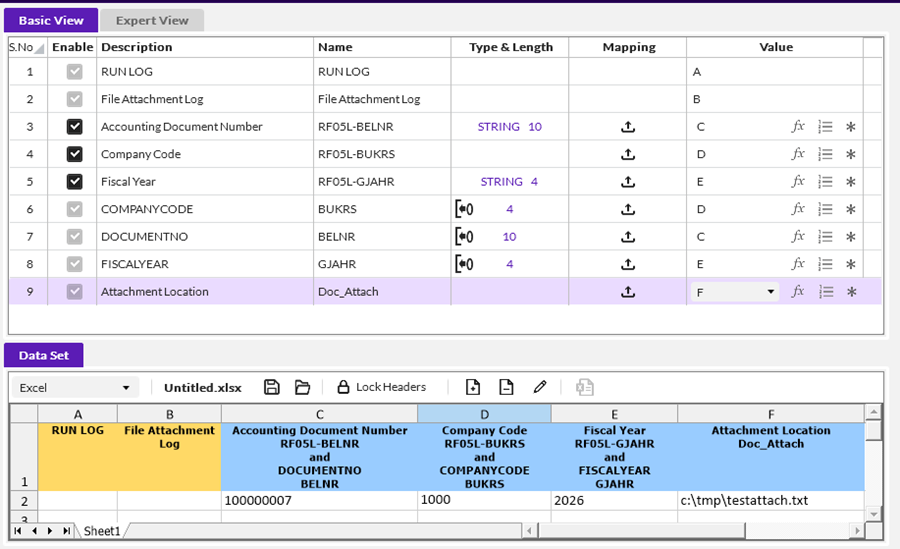
In the MAP tab click to Add File Attachment
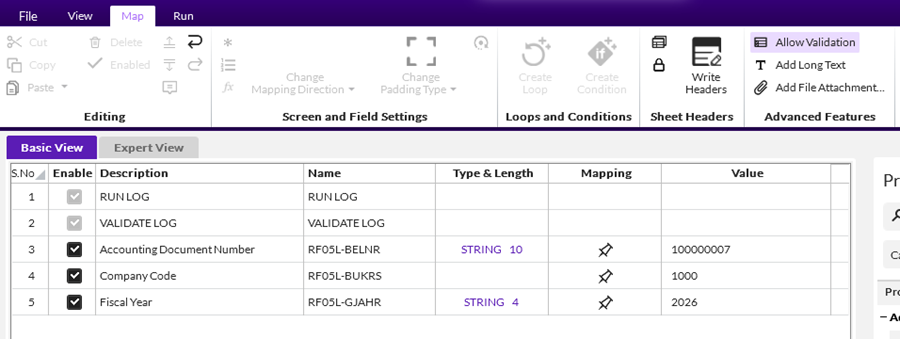
You will now see a new set of fields for the attachment that match the 3 you entered - 2 company codes, 2 document numbers and 2 fiscal years. You can map them to the same columns.
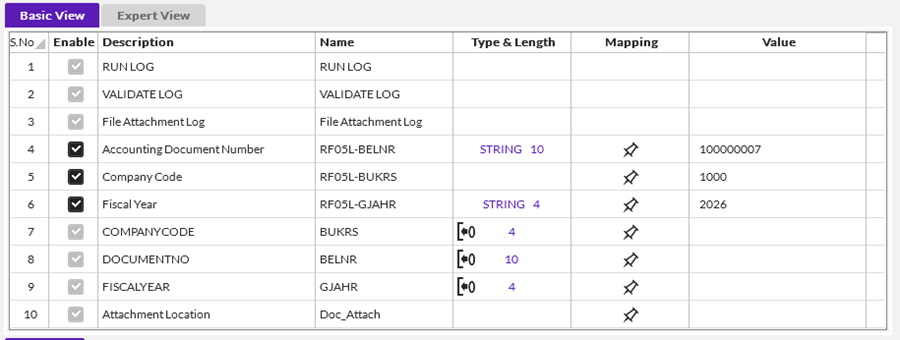
You also have the Attachment Location, which you can map to a single file, a zipped file or run it multiple times for a set of individual files.
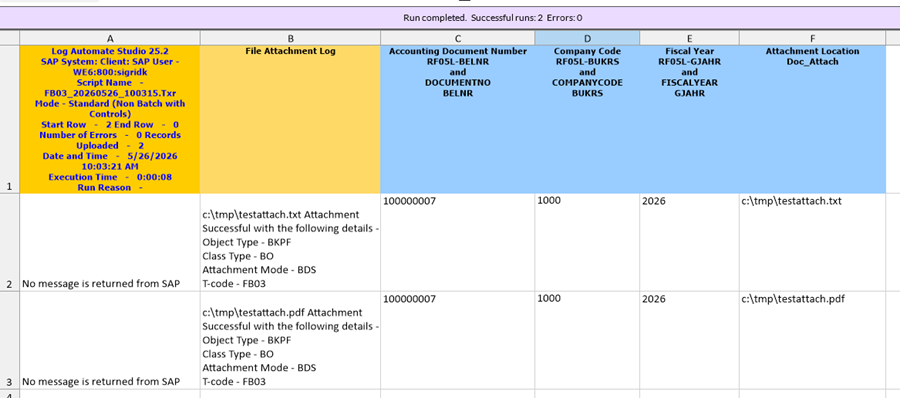
Notice the separate File Attachment Log, as well, which will output attachment success information or errors.
You will see something like this after mapping
Here are the messages after the FB03 script run:
If I go into SAP in FB03 and view the attachment list
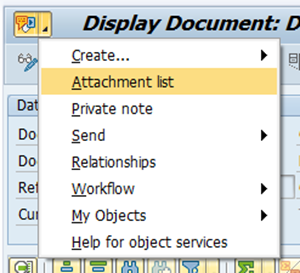
I will see the attachments

Here is a link to the documentation on Document Attachments: https://help.precisely.com/r/t/1757358610814/2026-04-23/Automate-Studio/Connect/Latest/en-US/Automate-Studio-with-Studio-Administrator-User-Guide/Attach-documents
I'm attaching two examples
- FB50 Post Journal Entry that also attaches the Excel file you are running the script in as it posts
- FB03 to add some additional documents to a Journal Entry
Do you have any other tips on document attachments in other use cases? If so, please share!
Happy scripting!
Sigrid
------------------------------
Sigrid Kok
*Precisely Software Inc.
------------------------------