That's great, Ketrine! Thanks for letting us know.
*Precisely Software Inc.
Original Message:
Sent: 10-03-2025 11:25
From: Ketrine Giha
Subject: Script creation FBL1N
Hi Sigrid,
Thanks for your support. Now is working.
------------------------------
Ketrine Giha
Consultant
PepsiCo (Business Solutions Group)
Winston Salem
------------------------------
Original Message:
Sent: 10-03-2025 10:44
From: Sigrid Kok
Subject: Script creation FBL1N
Thanks for sharing, Ketrine.
Can you please
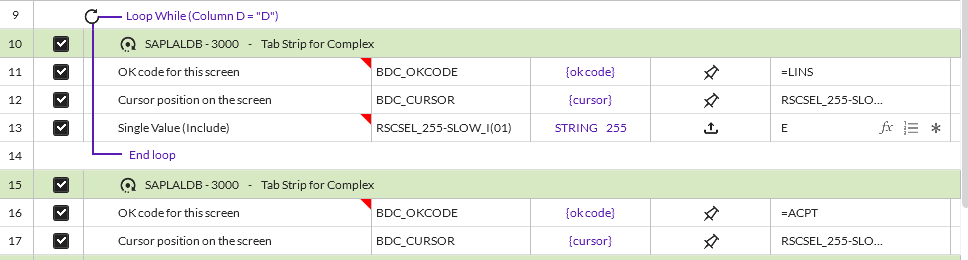
(1) include the screen name in the loop - this is a best practice for all scripts - except if you are using GUI scripting
(2) change the OK code from Enter to Insert - you have /00 which is Enter - it should be insert which in this tcode here is =LINS
Your script didn't have line 13 in the loop and has /00 for the ok code

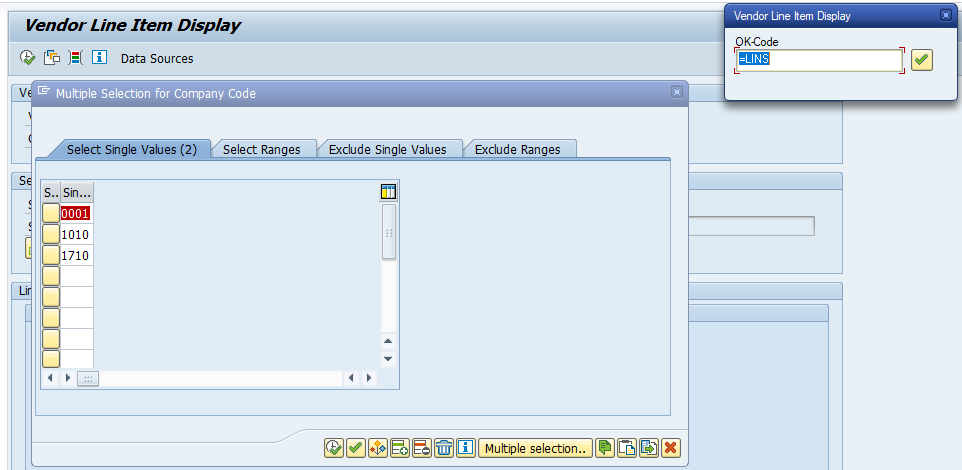
Here is a quick test I did
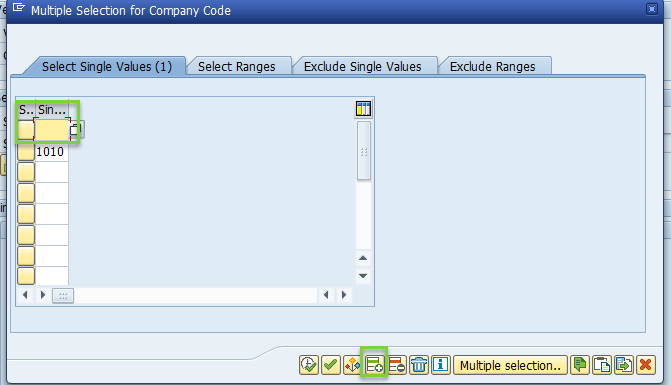
In debug mode I see it working - I added 4 companies - screen shot at company 3
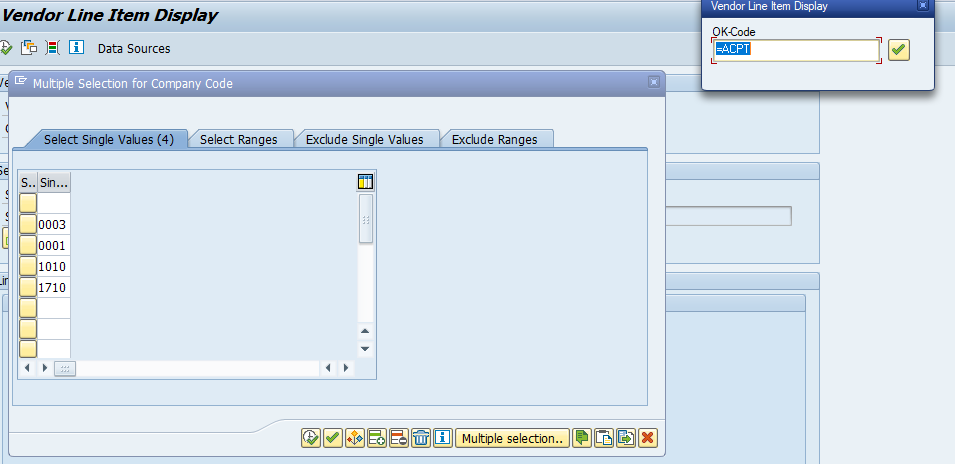
all companies added - now I click accept (the clock with the checkbox)
Hope that helps,
Sigrid
------------------------------
Sigrid Kok
*Precisely Software Inc.
Original Message:
Sent: 10-03-2025 10:23
From: Ketrine Giha
Subject: Script creation FBL1N
Hi Sigrid, I attach the script.
------------------------------
Ketrine Giha
Consultant
PepsiCo (Business Solutions Group)
Winston Salem
Original Message:
Sent: 10-02-2025 17:47
From: Sigrid Kok
Subject: Script creation FBL1N
Hi Ketrine
Can you please share your script? It should work for as many companies as you want to include.
Thanks,
Sigrid
------------------------------
Sigrid Kok
*Precisely Software Inc.
Original Message:
Sent: 10-02-2025 16:59
From: Ketrine Giha
Subject: Script creation FBL1N
Hi Sigrid,
Thanks for the advice, when I did the loop is working fine for 2 lines, but when I add more than 2 lines is only selecting first Line that has H and the last one with D, is not selecting the others. Do you know why this happens?
------------------------------
Ketrine Giha
Consultant
PepsiCo (Business Solutions Group)
Winston Salem
Original Message:
Sent: 09-24-2025 14:27
From: Sigrid Kok
Subject: Script creation FBL1N
Hi Ketrine
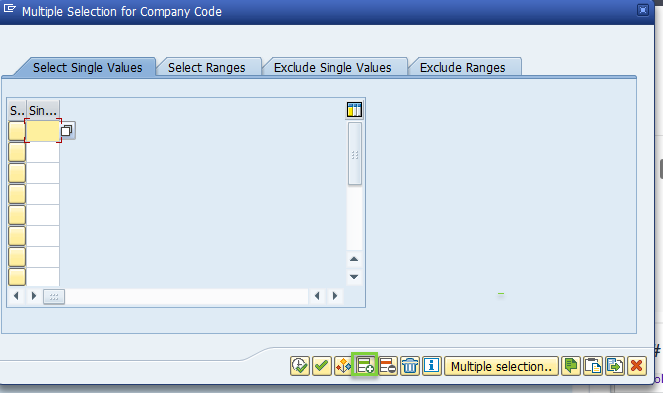
It looks like that pop-up has an insert button, where the first row is made available. When you click insert, it will push down the value in row 1 and let you enter another value. You can put a loop on that.
Best Regards,
Sigrid
------------------------------
Sigrid Kok
*Precisely Software Inc.