Hello Sigrid!
Thank you for your quick responses, they are very helpful and much appreciated.
We are actually having a slightly different issue - the popup is occurring during the recording and I am interacting with it, but when the recording is complete and rendered in the mapper, the SAPMMY0 - 0120 - steps (or the ones related to this specific popup) are are not appearing in the mapper, even in the Expert view.
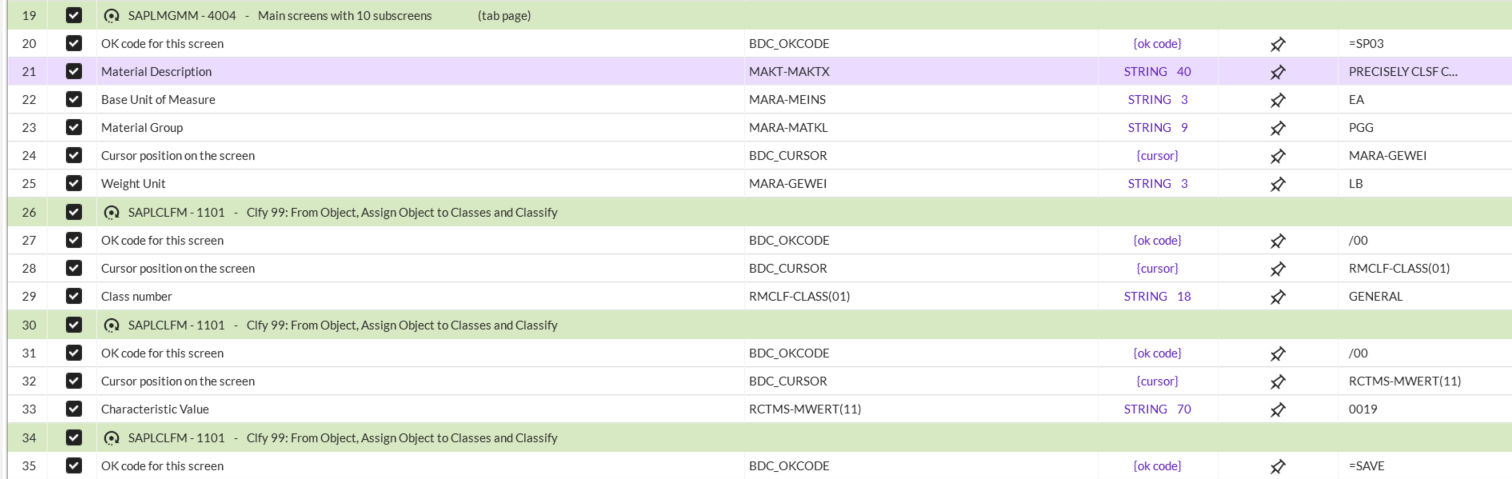
In this example, the popup's information should be between steps 25 & 26 but it just doesn't show up... I have made an attempt to re-record this several times in different ways to capture the step, but for some reason the interaction made in the recording doesn't make it to the mapper. Any ideas on a workaround for this?
Thanks!
------------------------------
Samuel Varney
Cooperative Regions Of Organic Producer Pools
------------------------------
Original Message:
Sent: 07-28-2025 17:32
From: Sigrid Kok
Subject: MM01 Transaction Classification "Class Type" Popup
Hi Samuel
For me, when I add a classification view, I see the pop-up. It's unusual not to see it while recording, but each system has different settings and defaults.
Are you seeing something like this instead?
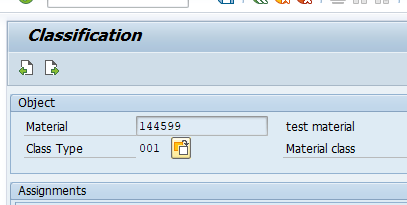
If so, click the Swap button next to Class Type to swap to another class type
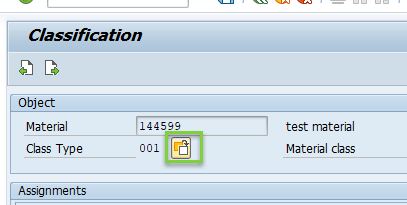
then see the pop-up.
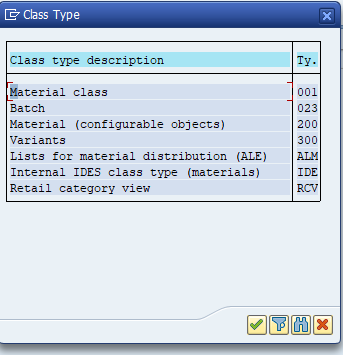
I typically click the filter icon, enter the class type and then select the one match.
In a script it looks something like this in Expert mode:
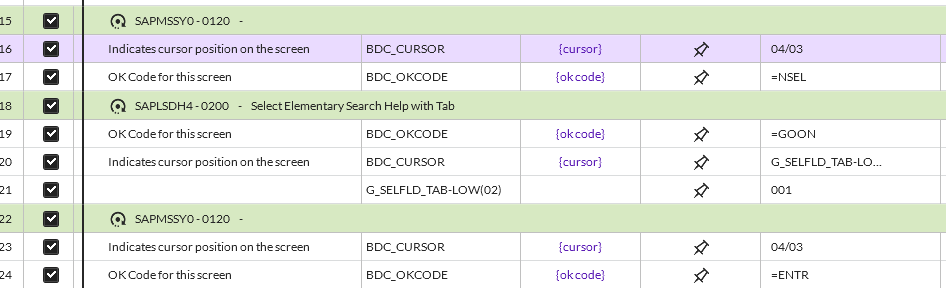
And it will only pop-up for the first material. After that, the GUI assumes you are going to use the same class type for the next one. So you would put an IF statement around the section that deals with the pop-up - OR - you can force it each time by clicking the switch class type button.
You can either record it that way, or paste that section into your script that doesn't have the pop-up.
Hope that helps.
Best Regards,
Sigrid
------------------------------
Sigrid Kok
*Precisely Software Inc.
------------------------------