It was created several years ago, but it's still relevant.
It covered a number of approaches, including the custom FM.
*Precisely Software Inc.
Original Message:
Sent: 08-13-2025 09:57
From: Andrew Landry
Subject: Looking for help with CL20N
Kevin,
You could try using the RFM /WINSHTLQ/TRN_MT_CLASSIFICATION here.
It is supposed to work for all classifications. I recently tested it for adding vendor classifications and it worked perfectly. I haven't tried multi-value characteristics but the screenshots show that it should.
I hope this helps.
Andrew
------------------------------
Andrew Landry
Leprino Foods Company
CO
------------------------------
Original Message:
Sent: 07-28-2025 17:19
From: Sigrid Kok
Subject: Looking for help with CL20N
Hi Kevin
Yes, you could open a support ticket if you have tried to create a script and can't figure out why it's not working.
I had a bit more time and took a closer look. I see you had a characteristic with the header and then another section outside of the loop that were doing the same thing so cleaned that part up. I'm only using columns E and F - E for characteristic description and F for characteristic value description (This is the description not the Code, ex: if Blue is the description and BL is the value -> enter blue or Blue or BLUE.
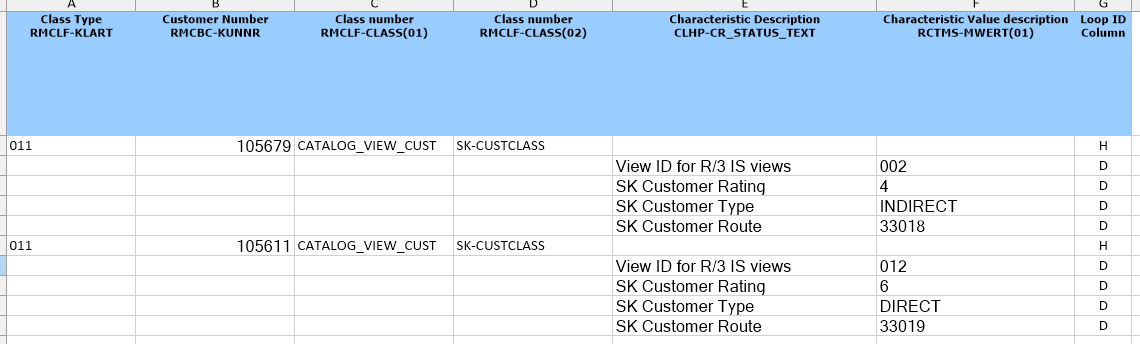
I moved the loop ID next to the data - just a preference.
I also had to look at the transaction behavior, because the first row has one behavior and the rest another. For the first time through the tcode when you login to SAP, you will see the below screens:
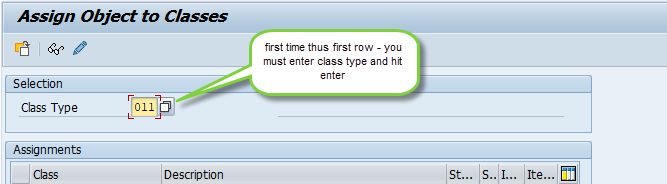
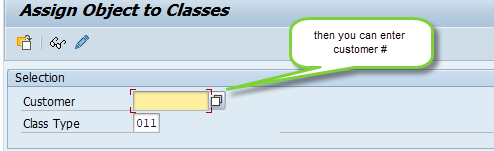
the above is what you had in the script.
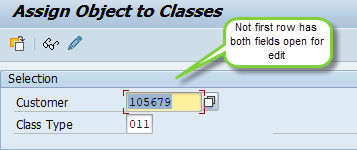
But all other rows will allow you to enter the customer on the first screen and will complain if you don't, and defaults the class type to what you had for the first row - thus you can enter customer number right away, like this:
The IF looks like this:
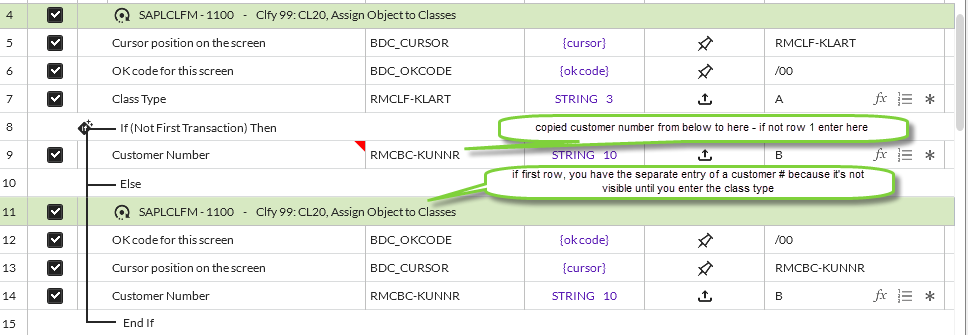
It works for me if I am using the same class type. If you switch class types, this will break because it will prompt for material number or something else.
The best way to see the above is to run two rows in DEBUG mode. You will see the differences.
See attached script with changes. Hope this helps.
Best Regards
Sigrid
------------------------------
Sigrid Kok
*Precisely Software Inc.
Original Message:
Sent: 07-25-2025 08:39
From: Kevin Simard
Subject: Looking for help with CL20N
Hi Sigrid, Thank you for the suggestion. I have tried that and it is still not working. Does support cover script issues? Would I be able to open a ticket for this?
------------------------------
Kevin Simard
Manager, IT COE - Global Master Data Integration
Kraft-Heinz
Warrendale PA
Original Message:
Sent: 07-24-2025 18:37
From: Sigrid Kok
Subject: Looking for help with CL20N
Hi Kevin
Sorry I missed that.
If we can assume the customer will have no classes assigned when this starts, your script looks to be sound.
Please try checking the Start SAP GUI on the run tab and try again. The "N" versions of transactions like CL20N or CJ20N or ME21N or ME51N, etc, or what SAP calls the "Enjoy" transactions, often need this option checked.
Best Regards,
Sigrid
------------------------------
Sigrid Kok
*Precisely Software Inc.
Original Message:
Sent: 07-24-2025 16:29
From: Kevin Simard
Subject: Looking for help with CL20N
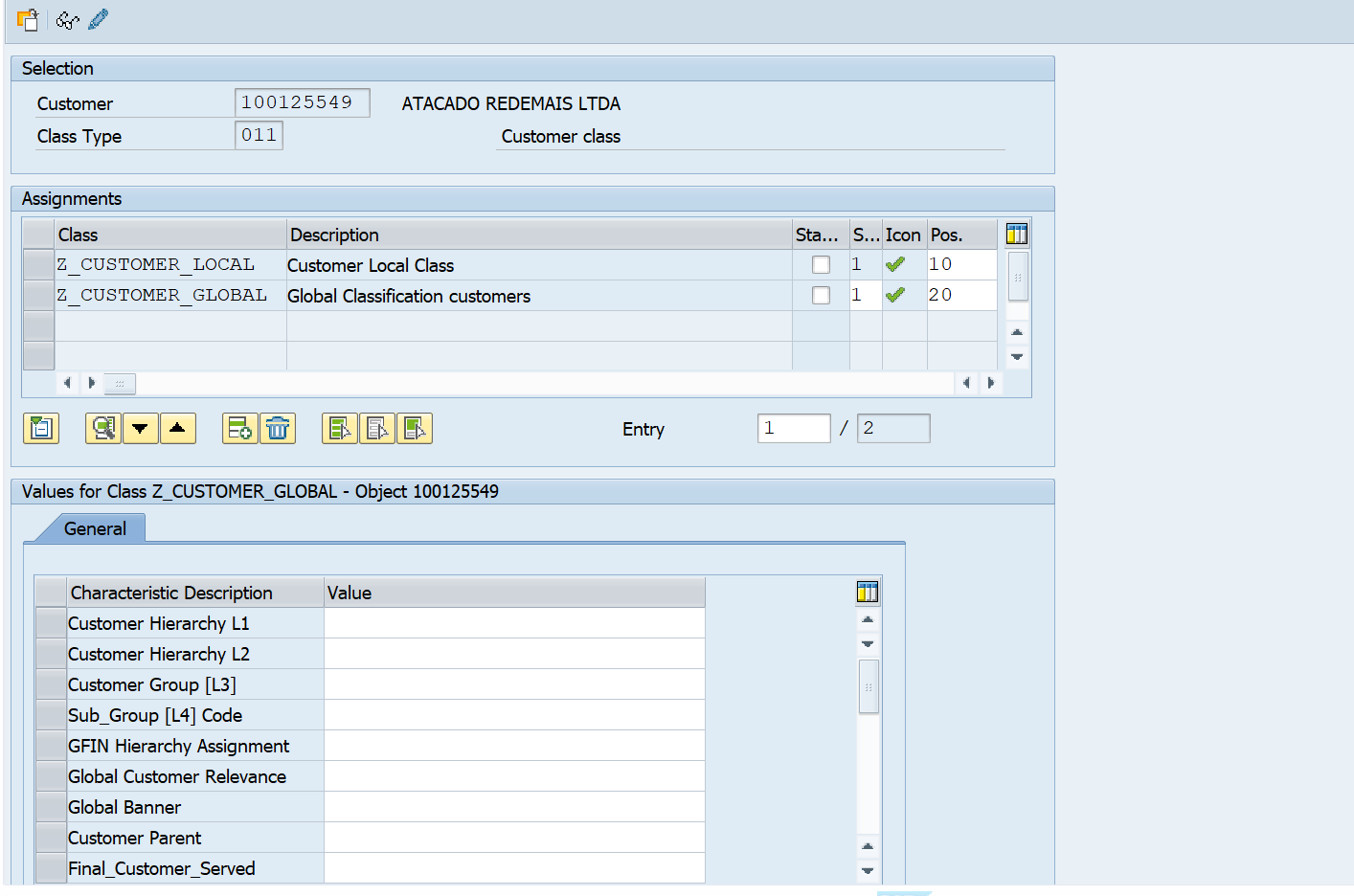
I may not have explained it correctly. What I am trying to script is adding 2 Classes and then assigning characteristics values within those classes. In the screenshot below, I want to add the 2 "Z" classes then assign values for Global banner and customer parent
------------------------------
Kevin Simard
Manager, IT COE - Global Master Data Integration
Kraft-Heinz
Warrendale PA