Hi Shylaja
When I first saw this posted, I thought - not me! :) I'm not a big JavaScript developer.
Are you stating that if you delete a row, the indexes are not aligned? If so, could you use a row number that is in the form?
I set one for the top table - the "header" if you will
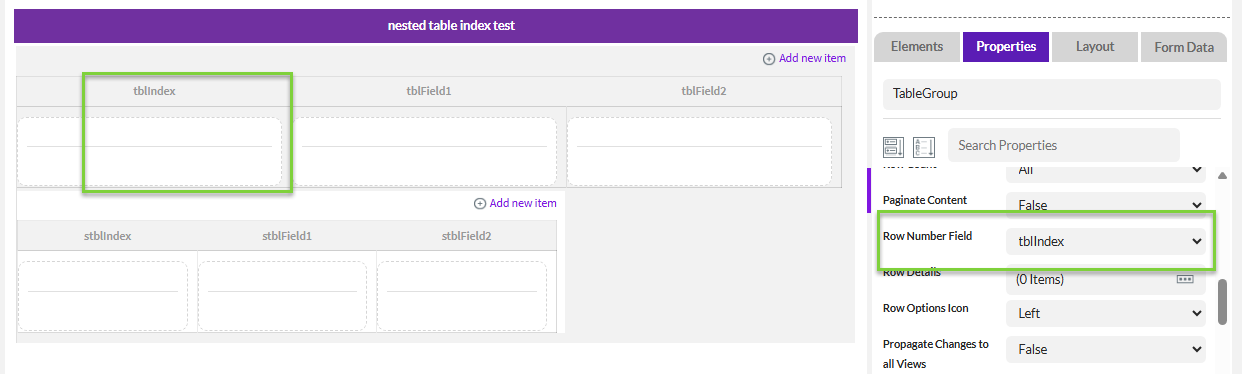
then set the row number for the nested table aka line items
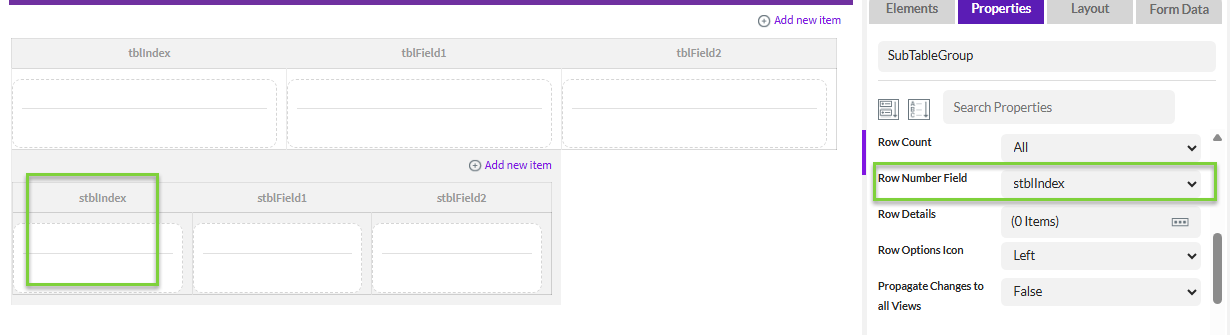
Here's my test nested table
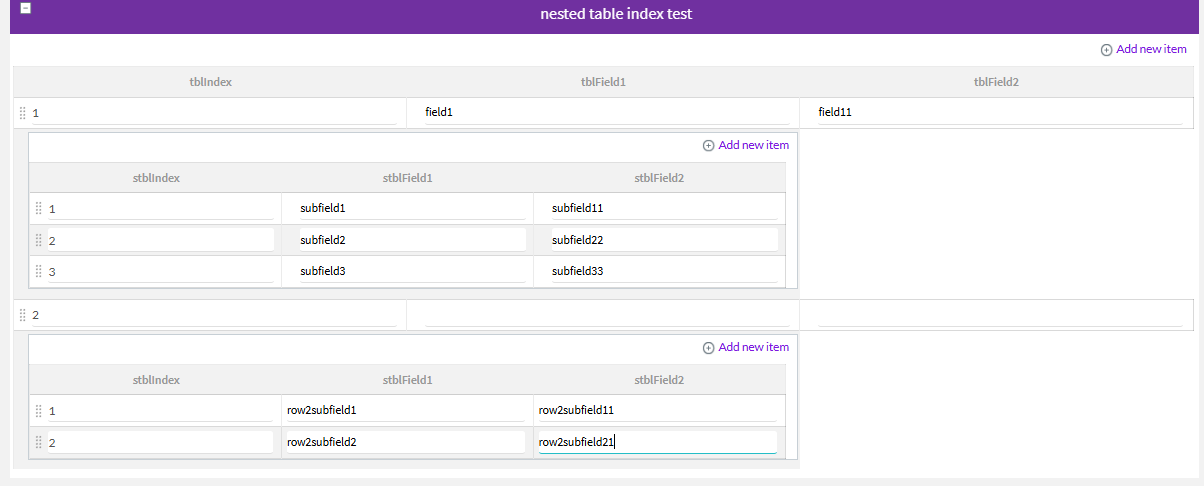
I'm deleting the 2nd line item row in the first "document", and when I do, the row number is corrected.
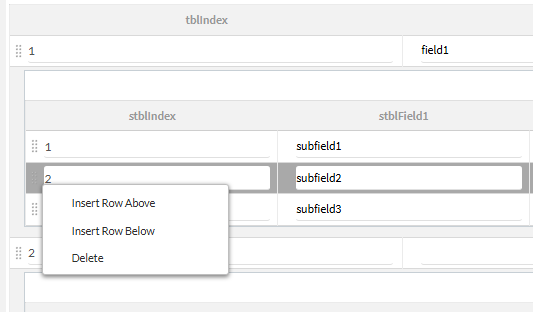
Now it looks like this - correcting the 3rd row to now be the 2nd row.

I realize for JavaScript, you start with "0" instead of 1, so perhaps you could subtract 1 from the row number for the index?
Is this the issue? Could this work for you?
Best Regards,
Sigrid
------------------------------
Sigrid Kok
*Precisely Software Inc.
------------------------------