Hi Amina,
In some tcodes, the object number generated is available. For PO13, it is generated prior to the save. In my PO13 script I click save and go back to the main screen with all of the infotypes, it's from there you will be able to download the #.
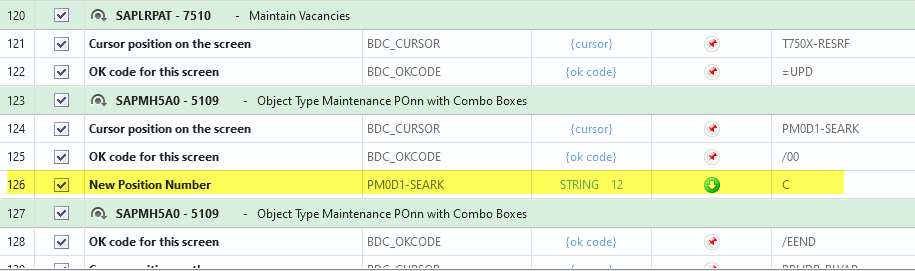
I hit enter on that screen and then exit.
You will need to go to Expert mode in the mapping tab, then click view and check disabled fields. Go toward the bottom and you'll see it. If not, you can always add the above line.
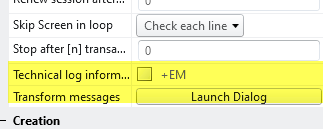
Another method includes modifying the output message to only include the new object number, but for this tcode, you don't have to do that.
Best Regards,
Sigrid
------------------------------
Sigrid Kok
Precisely Software Inc.
------------------------------