Automate

 View Only
  • 1.  Change Default Library for Excel Evolve Addon

    Posted 01-11-2024 14:57

    Hello,

    I have a user who is asking if it's possible to change the default library that is displayed when you go to select your template using the Evolve Excel addon. 

    We have 11 libraries and their compliant is that it takes too long to load all the templates. They want to choose their own group's library to be their default choice for templates. Right now, it defaults to 'Transactions' solution library.  Any help would be appreciated! 


    ------------------------------
    zachary Byrd
    General Motors Company (GM)
    Detroit MI
    ------------------------------


  • 2.  RE: Change Default Library for Excel Evolve Addon

    Employee
    Posted 01-12-2024 01:36

    Hi Zachary,

    Please refer the screenshot attached below, I believe this is what you are referring to, is that correct? 

    By default transaction Library is selected, but once you click the folder icon(highlighted below) it shows all the 'Transaction' Libraries.
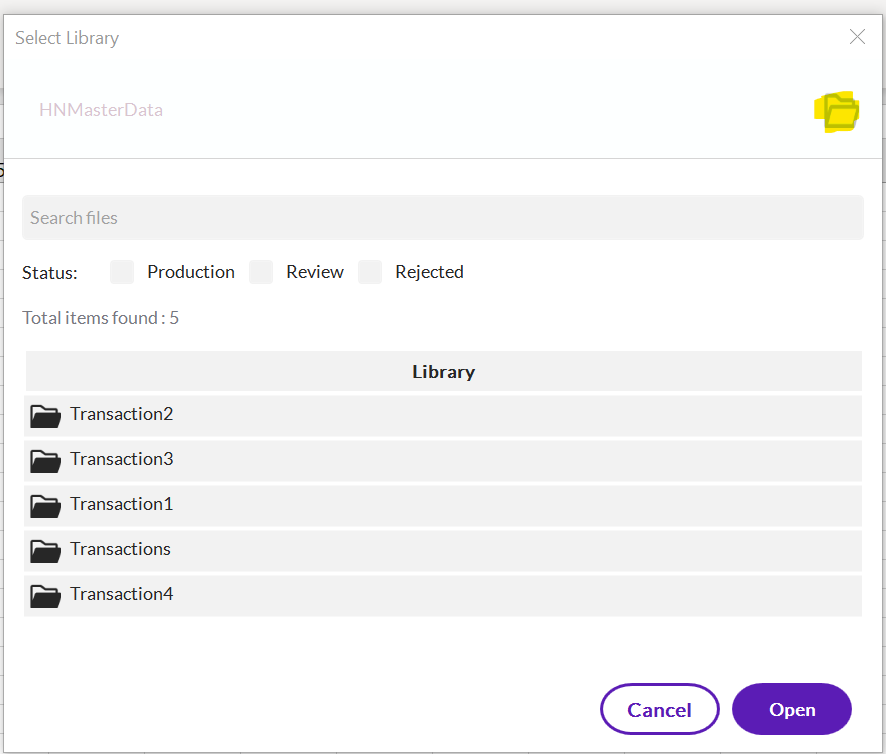
    There's no way to set library as favorite as we can set the teamspace/Applications as favorite or default. you can raise this is an idea on idea portal for future releases.

    Regards


    ------------------------------
    Hammad Naeem
    Precisely Software Inc.
    ------------------------------


  • 3.  RE: Change Default Library for Excel Evolve Addon

    Posted 01-12-2024 10:15
    Edited by Zachary Byrd 01-12-2024 10:29

    Hi Hammad,

    You are exactly correct. So, to confirm, it's not possible for us to set this screen as the default screen when we open "Transaction Data Templates?"


    ------------------------------
    zachary Byrd
    General Motors Company (GM)
    Detroit MI
    ------------------------------