Sorry for my late reply, i appreciate it very much that you provided me with this template. I asked around at our IT department, and they told me that nothing is customized in our SAP installation. We are using S4/HANA, and our Automate Studio is version 25.0 (64-bit). I have raised a ticket with our IT department, and going to try and find what could be the reason for this problem to occur. Thank you very much for your time!
Original Message:
Sent: 08-21-2025 10:35
From: Sigrid Kok
Subject: Attach document to BOM Header CS02
Hi Sandor
When I share an example, it is just that, an example. I never intend to give someone their exact use case - if I do, it's a happy accident :) Why? Each SAP system can be setup differently. You could have a very customized version of that screen, and your screen numbers may be different.
You have the steps I used to create your own recording, and I hope it works for you. :)
Best Regards,
Sigrid
------------------------------
Sigrid Kok
*Precisely Software Inc.
------------------------------
Original Message:
Sent: 08-21-2025 03:07
From: Sandor Bagdi
Subject: Attach document to BOM Header CS02
Hi Sigrid,
Thank you for the templates, this is what i was looking for. I removed the loop and two fields because those are not needed in my case, and tried to run the script in debug mode so i can see what exactly happens. See screenshots below:
The first screen is ok:
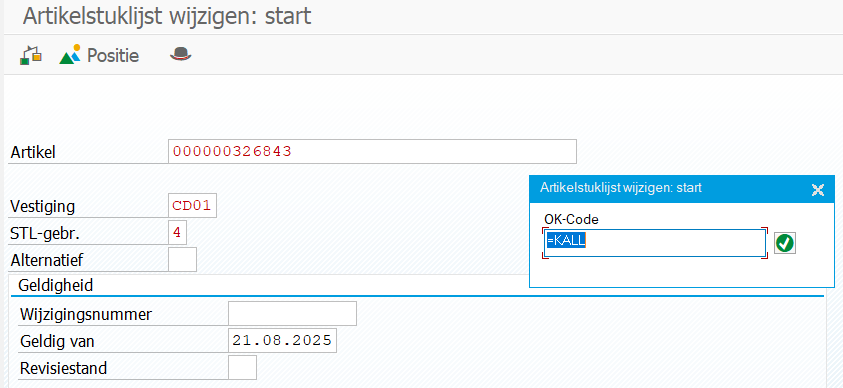
Second screen is also ok:
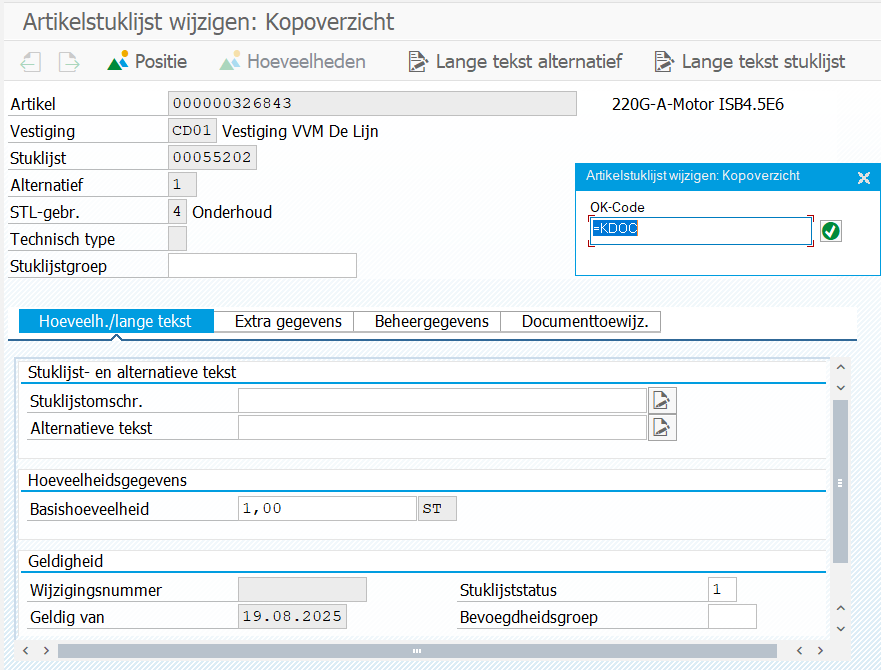
On the third screen if fails, i get a green warning that there is no field DRAW-DOKAR(1):
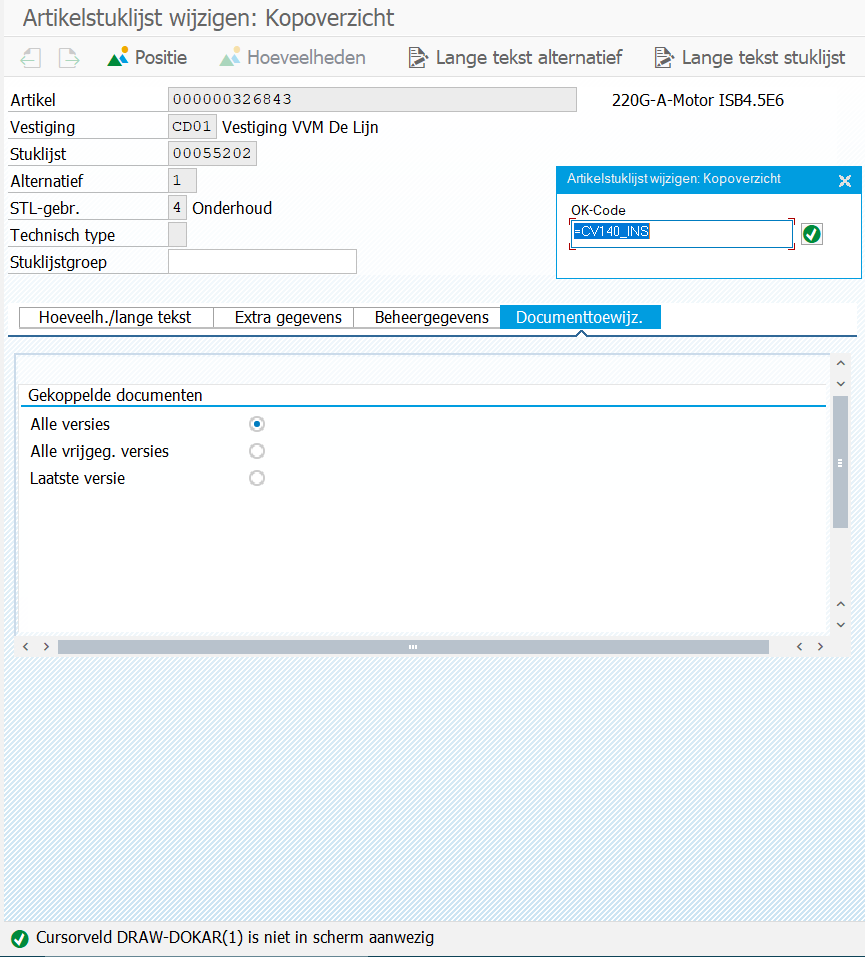
And no fields to fill in the data.
Could this be because how the SAP tables are structured in our company? Or what could be the possible reason that no controls and field are visible to Automate?
Thanks in advance,
Sandor
------------------------------
Sandor Bagdi
Specialist Masterdata
De Lijn
Original Message:
Sent: 08-20-2025 09:56
From: Sigrid Kok
Subject: Attach document to BOM Header CS02
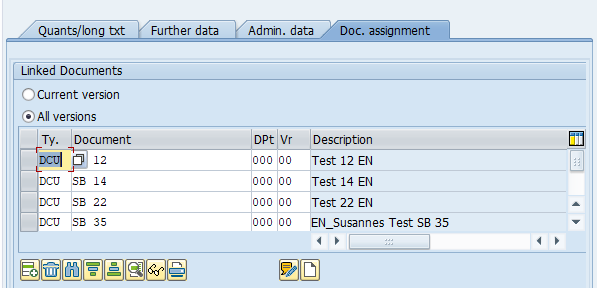
PS: attaching a quick example with a loop to add as many documents as you like, but the loop is optional. Results after running screen shot:
------------------------------
Sigrid Kok
*Precisely Software Inc.
Original Message:
Sent: 08-20-2025 09:48
From: Sigrid Kok
Subject: Attach document to BOM Header CS02
Hi Sandor
Yes, the method I share is for attaching a file on a drive somewhere. I didn't catch on it was on the documents tab :)
I believe if you want to add a document go to header and documents tab
Use insert -- and it pushes down the existing documents and you can add it to the top row - please see the screen shot below.
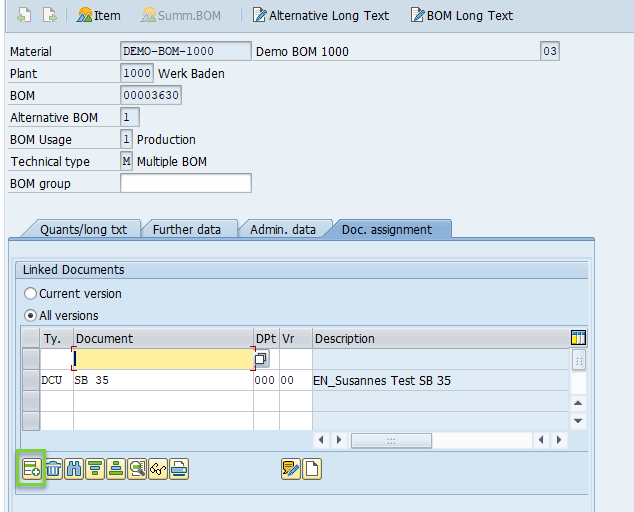
Is that what you're after? I've not used this but it seems automatable. Did you try this yet? Did you run into issues?
Best Regards,
Sigrid
------------------------------
Sigrid Kok
*Precisely Software Inc.
Original Message:
Sent: 08-20-2025 02:48
From: Sandor Bagdi
Subject: Attach document to BOM Header CS02
Hi Sigrid,
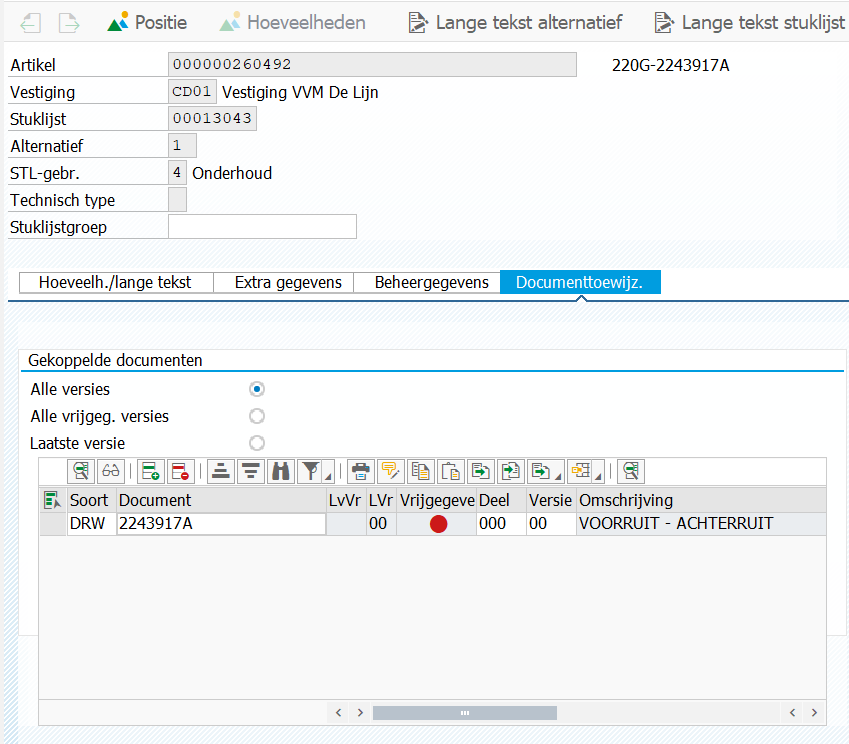
Thank you for your response. This is indeed a great way to attach documents, and i gave it a shot but i noticed that doesn't matter which option i choose when trying to attach a document in the above mentioned way, it always asks for a "path" to a document. In my case, i do not have a path, because the document i'm trying to attach is a drawing document (don't know the technical name of it). It is created with the t-code CV01N. And this is the document i'm trying to attach. Maybe i'm missing something?
Thanks in advance!
Sandor
------------------------------
Sandor Bagdi
Specialist Masterdata
De Lijn
Original Message:
Sent: 08-19-2025 14:40
From: Sigrid Kok
Subject: Attach document to BOM Header CS02
Hi Sandor
You can recording opening a bom and then just close it. I just did
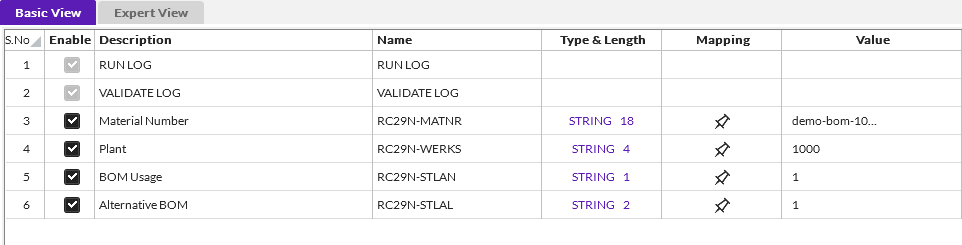
then click on the ribbon to add attachments
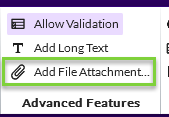
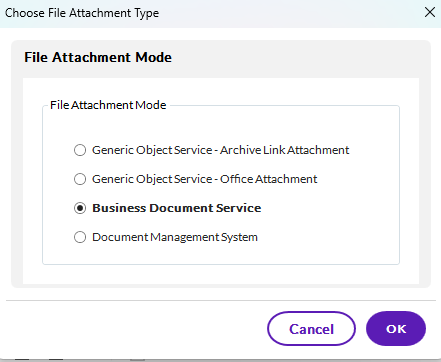
Then choose the type
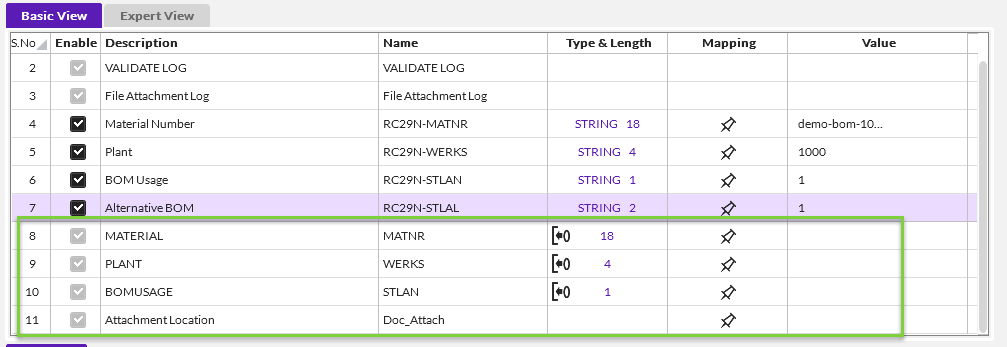
It adds fields to your script to map to identify the BOM
Then run it
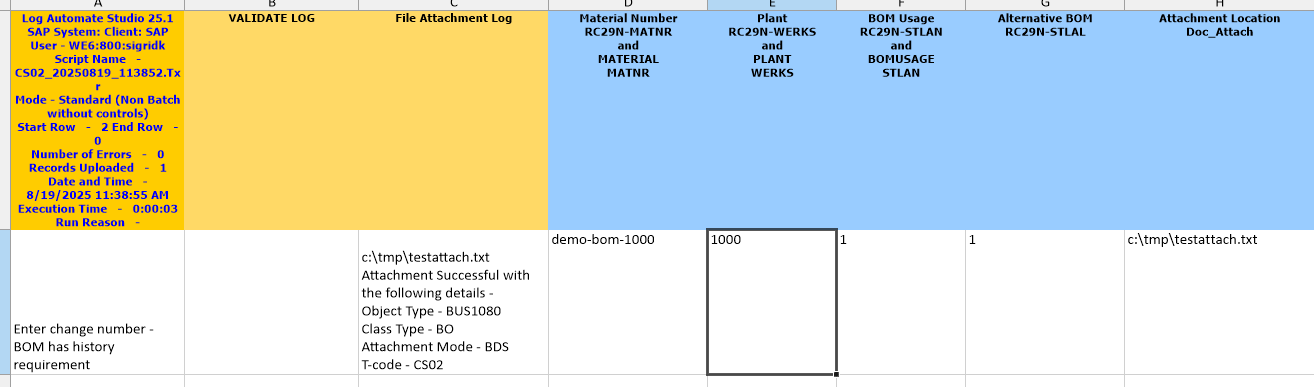
Hope that helps,
Sigrid
------------------------------
Sigrid Kok
*Precisely Software Inc.