hello forum, I'm wondering if anyone else has this issue and if you have any work around.
Transaction v10.7.3 build 1607201
Mode: non-batch with controls
I recorded a script to read data from VL03N (Display Outbound Delivery). I drill down to the item detail, "Text" tab to try and copy the long text from SAP into Excel.
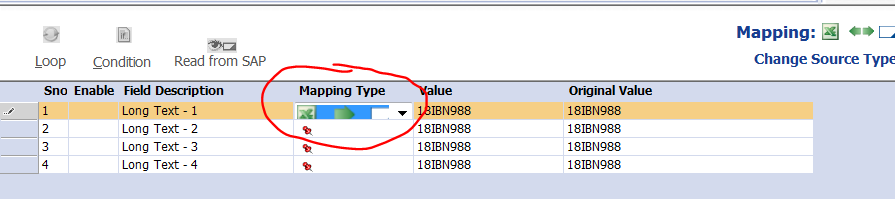
When I select on Long Text option, I can see the field and values, but in "Mapping Type", I don't have option to "read from SAP". The only option I have is to upload data (Excel to SAP).
Any advice on how to copy the long text data from SAP into Excel?
Thanks in advance for any help.
------------------------------
Karl Nelson |
Medline Industries, Inc. | Illinois, USA
------------------------------