Hello -
I have an Evolve Solution for the creation and extension of Materials using MM01. I have imported the transaction scripts as a repeating section so that users can create and extend multiple materials in the same solution. I have a button in my form, View 1, that the user can push and it is tied to several action rules that adds additional rows to all of the tables in my form. By pushing the button, they can add a row to all of the tables in my form for View 1. View 1 has the Create script and multiple materials can be created. Screenshot below for an example. Once the material numbers are generated, the form is submitted and another user opens the form to View 2.
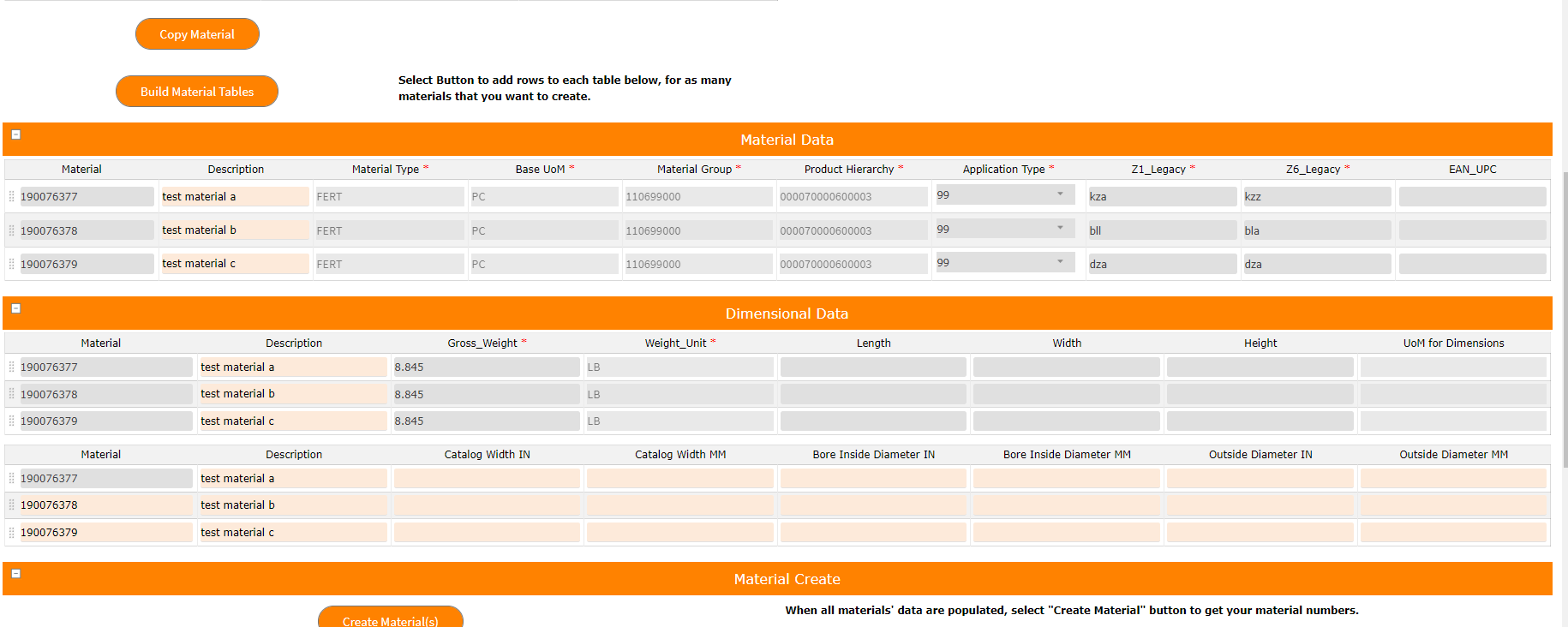
View 2 will handle the extension of the materials created in View 1. I want to somehow have View 2 pre-populated with the materials created from View 1, so I need the tables in my View 2 to already have the correct amount of rows and I will have the Material field value defaulted to the Material Number created from View 1. Is there a way to do this? Even if I can have a button with a rule that says "Get Data" and the user in View 2 can select the button and the rows are then added to my tables that is fine. I just can't see to figure out how to do that based on a specific number (the user in View 2 won't know how many rows to add manually because they can't yet see the materials created). You can see below that the first material is copied from the first view, but I don't know how to get the other rows added.

Thank you for your help.
Krista
------------------------------
Krista Zinna | Master Data Specialist
Timken Company | 234-262-2008
------------------------------