Hi Russell
Here's an idea in two parts - the Query generates the H/D for the loop ID, and the BAPI will have the line item data twice - once outside of the loop for the H row, and once for the detail rows by copying that part.
(1) Query - use a formula based on the sales document number field
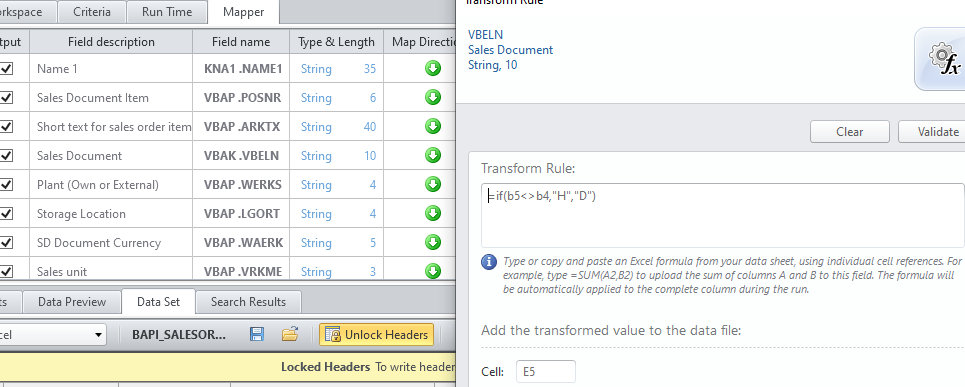
My output starts on row 5, so compare sales doc # on row 5 and compare to previous row, row 4. If different, make the loop ID column H, otherwise D
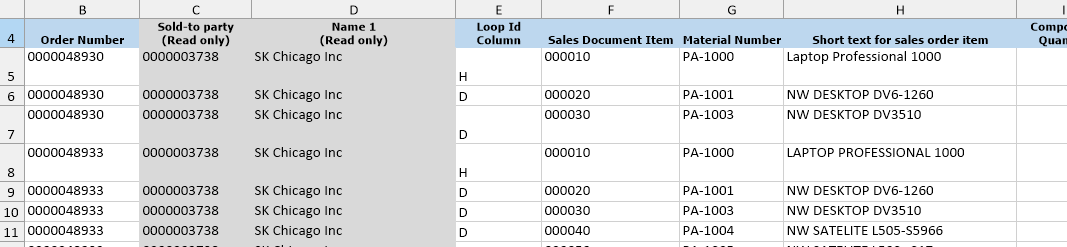
Now your output has H and D, with the first D line on the H row. ex:
(2) in the sales order BAPI, remove the default loops from the line items rows in Expert mode - it will handle the first detail row on the header (H) line
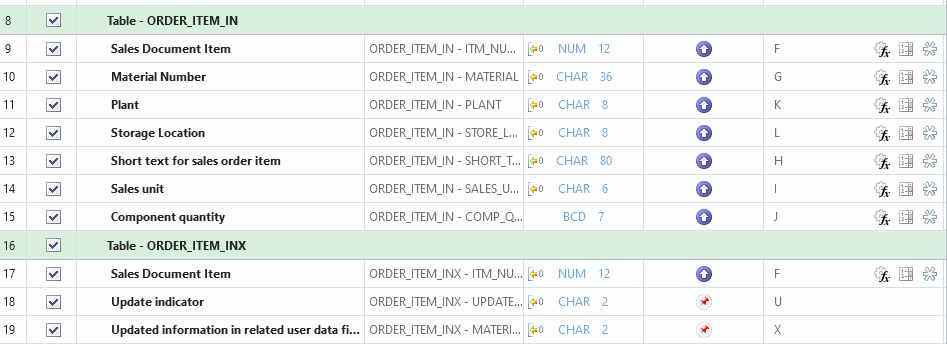
now right click on the green line for Order_Item_In and select copy
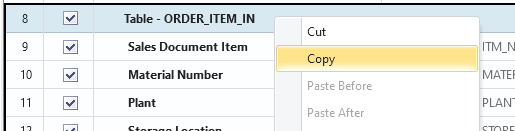
then paste at the bottom. Do the same for Order_Item_InX. Put a loop around that, as it will handle the detail lines.
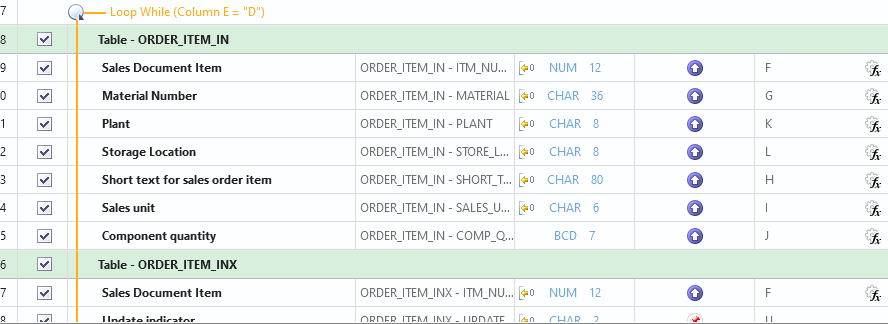
If you're using other line item tables, ensure you do the same - once outside of the loop for the header row and again in the loop for the detail line.
Hope that helps,
Sigrid
------------------------------
Sigrid Kok
PSE | Winshuttle NA
------------------------------