Hi All,
Was asked this question today and thought I'd share how to download a script from Studio Manager or Evolve.
If you pick a script and click to download, by default you'll get the Excel file with the embedded link to the script. So here are the steps to download the actual script file, and please note you must have access to the Solutions folder in an app, so the developer role:
- go to the library you want to download from and click on it to see the scripts in the library
- select the script and click version history

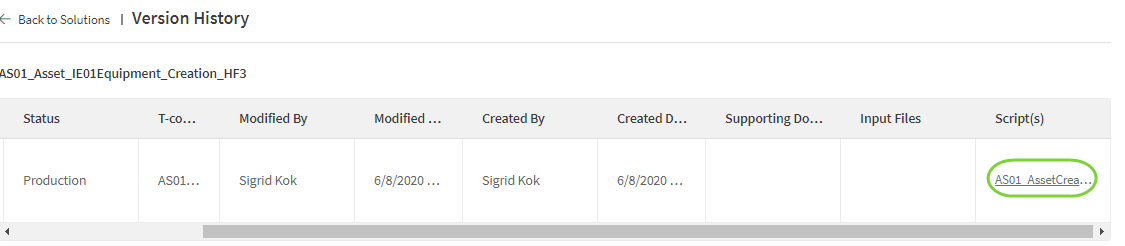
- on the version you want to download, by default you'll have one, scroll to the right to see the Script(s) column. Click on the script name - like the AS01_AssetCreat... below
- you'll see a window pop open on the right side with the script or scripts in the solution
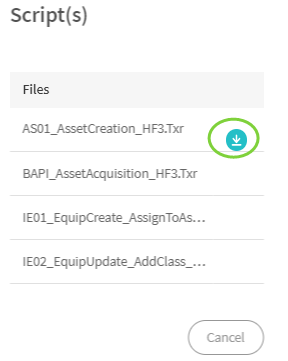 Mouse over each script to see the download option (see above), and click the download button and it will download the script
Hope that helps,
Sigrid
------------------------------
Sigrid Kok
PSE | Winshuttle NA
------------------------------