Hi Rita
The doc to use the Function Module way to 'record' long text is here:
https://docs.winshuttle.com/studio-en-12-1-x-online-help-studio-w-connect/12/Record-long-text.htm You simply need to open the document and then close it again. You can even use VA03 to do it.
Then in Composer, ensure you set both sales order fields are set to the same order number - or change the mapping so that both script fields map to the same form field. (Note in my example I swapped internal note to header note 1, because I didn't have the so-internal note long text field. I also had a fixed language of EN in my script, so it's not in the form, but you could pass in a variable to get other language long text versions)
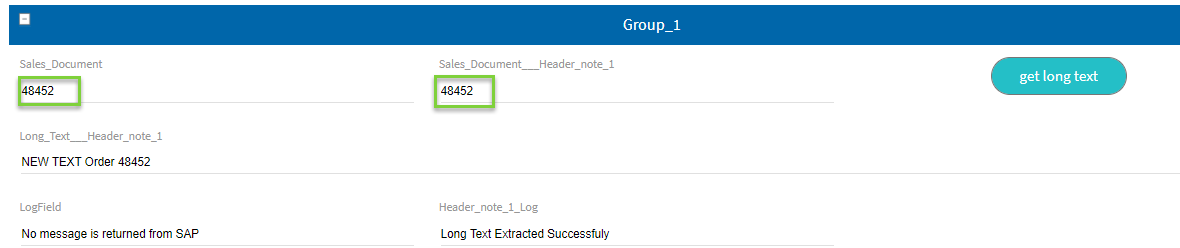
Attached script and test solution - please note I adjusted your script to simply exit, and please remember I swapped to another long text field.
Hope that helps,
Sigrid
------------------------------
Sigrid Kok
PSE | Winshuttle NA
------------------------------