Hi Maxwell
If it's always choose the 2nd condition, then that's how it's recorded.
I'm not 100% what you're trying to accomplish, because you state you create a new condition record each time, but then you state you also need to select from a list of condition effectivity dates.
If you're creating a new condition each time, then you can use this template:
https://community.winshuttle.com/sap-module-templates/viewdocument/change-purchasing-info-record?CommunityKey=8a12989f-fefe-4b81-8147-4bbb11af6820&tab=librarydocumentsIf you need to find a specific condition effectivity date to update, it would require GUI scripting, and you'd have to use the effectivity date do to the find.
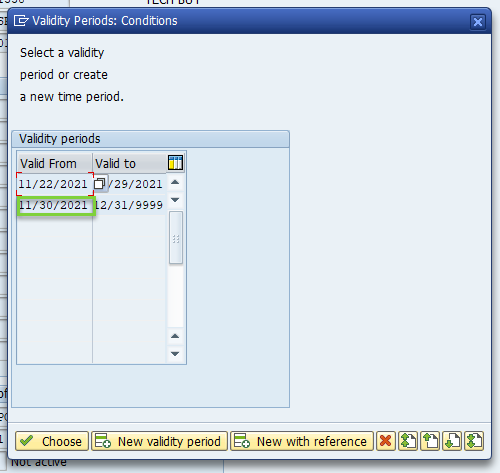
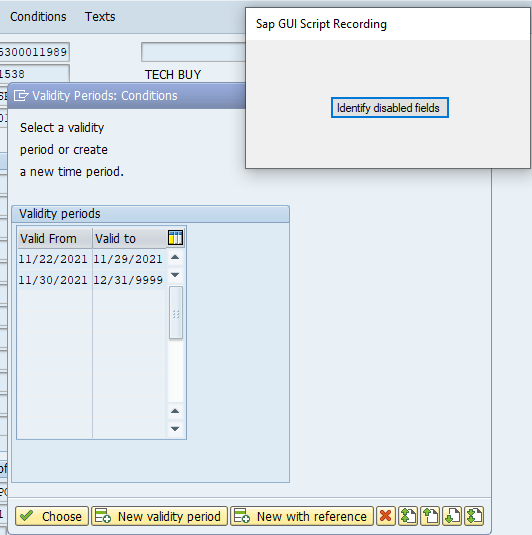
You'll have to use the pop-up to "identify disabled fields" as the date is read only, and then click a start date - you'll see a red box around it for a moment.
You then use an Indexed IF to position based on the effectivity start date - make sure you disable the download field of the start date, as well
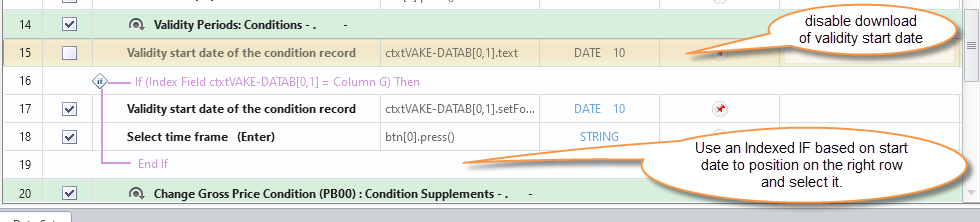
A quick example is attached.
My test data
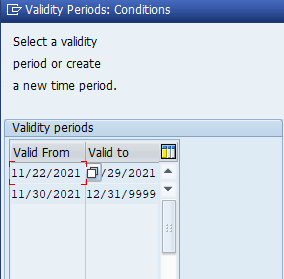
in SAP
in the script template

I threw in a bad start date so that you could see the message
HTH,
Sigrid
------------------------------
Sigrid Kok
PSE | Winshuttle NA
------------------------------