Hi Thersha,
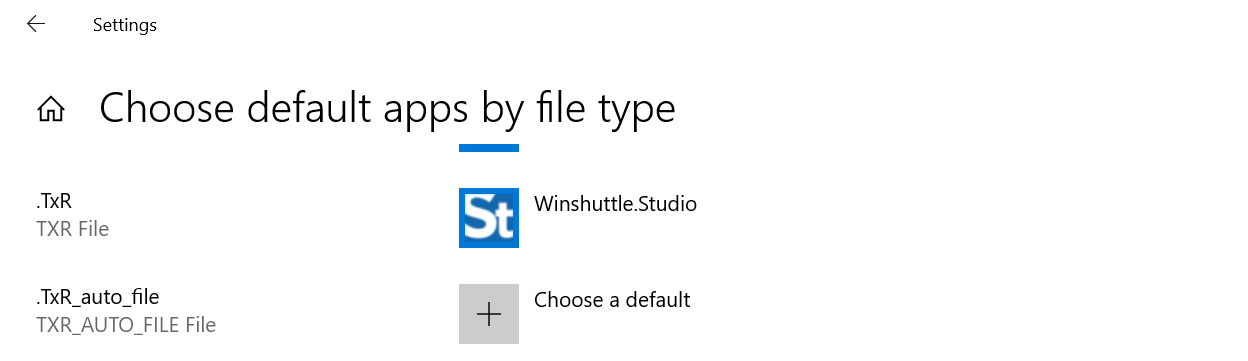
also connect .Txr to Winshuttle Studio. Difference with your setting is the r is not a capital. There is a difference with .TxR and Txr.
This is also the case with query .QSQ versus Qsq.
Another option is to right click on the file and choose option "open with" and then open with Winshuttle Studio 12. And then set that as default.
And maybe before that delete the existing association .TxR with Winshuttle Studio so you are sure a new connection will be set.
------------------------------
Jan van Asseldonk | Consultant
CTAC | +31629078169
------------------------------
Original Message:
Sent: 11-08-2021 15:40
From: Thersha Cowley
Subject: Opening Studio Script directly from an email attachment
I am on desktop too....
------------------------------
Thersha Cowley | Analyst programmer
Flowers Foods | 12295512229
------------------------------
Original Message:
Sent: 11-08-2021 14:45
From: Sigrid Kok
Subject: Opening Studio Script directly from an email attachment
Hi Theresa
Are you on Foundation or User Governance? That may be different. Jan is on desktop and I'm on Evolve.
FYI
Sigrid
------------------------------
Sigrid Kok
PSE | Winshuttle NA
Original Message:
Sent: 11-08-2021 13:19
From: Thersha Cowley
Subject: Opening Studio Script directly from an email attachment
Thank you Jan for your input. I appreciate it.. I do have both those settings like you showed, and it goes to Studio, but it does not open my file for me. I still have t go into the browser in Studio to find the file , then open it.
------------------------------
Thersha Cowley | Analyst programmer
Flowers Foods | 12295512229
Original Message:
Sent: 11-08-2021 11:22
From: jan ketele
Subject: Opening Studio Script directly from an email attachment
Thersha,
I'm using Studio 12.1 too, all scripts do open Winshuttle studio just by clicking on the file. Either from within a mail as from filemanager.
I attached a doc with another suggestion how to set the default program. Hope it helps ...
------------------------------
jan ketele | Sr engineer release mgt
Xeikon Manufacturing NV | +3234431875
Original Message:
Sent: 11-08-2021 10:52
From: Thersha Cowley
Subject: Opening Studio Script directly from an email attachment
Thank you for your response Sigrid.
I have Winshuttle Studio set as below for the default apps by file type TxR in my settings. Is there perhaps another place where i need to set it?
------------------------------
Thersha Cowley | Analyst programmer
Flowers Foods | 12295512229
Original Message:
Sent: 11-08-2021 10:42
From: Sigrid Kok
Subject: Opening Studio Script directly from an email attachment
Hi Theresa
Sorry you're running into this issue.
As a test, I just sent myself a script as an attachment, and I was able to open it from an email.
Are your scripts associated with the Studio app as the default app to open it?
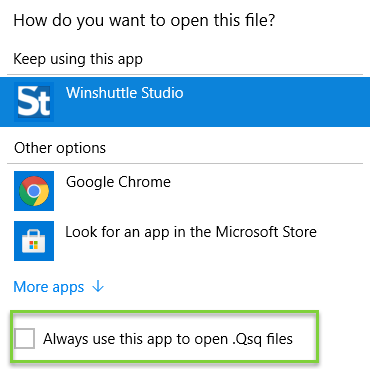
If it is, I am not quite sure. Does anyone else have a tip on this issue?
Best Regards
Sigrid
------------------------------
Sigrid Kok
PSE | Winshuttle NA