Not that I know of, April.
I have been able to use a variable for min # (I just grabbed this from a formula builder and pasted it here), but it seems that it is read when the form is loaded. So changing the variable value in rules didn't affect how many were required, i.e. 1 if approving or 0 if rejecting.
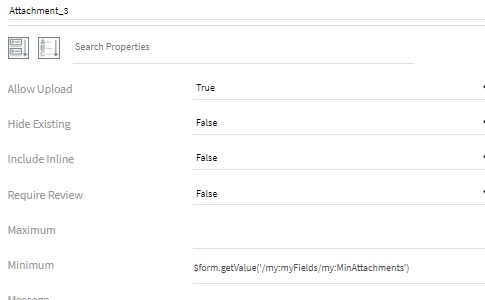
It also didn't help if I did a disable or hide with the Reject custom button.
Anyone in the community know if it's possible with JavaScript? I'd have to defer to others, as that's not my area of expertise.
Best Regards,
Sigrid
------------------------------
Sigrid Kok
PSE | Winshuttle NA
------------------------------
Original Message:
Sent: 09-02-2021 11:42
From: April Hargraves
Subject: Composer/Evolve Question
Thanks! That worked - on everything except the attachment.
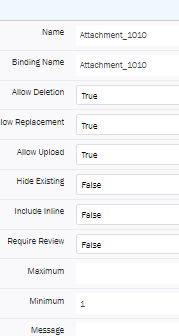
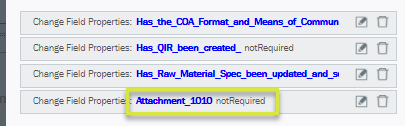
I have it set to one as the minimum, and while I said to make it not required in the button area, it still required it.
Is there a way to make it so an attachment is required unless sending back?
Attachment Section:
Button Rules:
------------------------------
April Hargraves | Master Data
Ascend Performance Materials - Pensacola | 8503845763
------------------------------
Original Message:
Sent: 09-02-2021 11:28
From: Sigrid Kok
Subject: Composer/Evolve Question
Hi April
One way is to use a custom button, and select custom for the button action, and in the rules change the field properties to not required prior to the REJECT form action.
Button properties
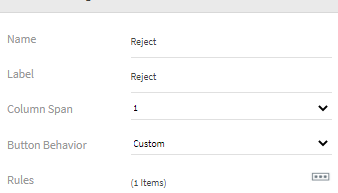 Use rules to change the properties of those required fields to not required and then use the form action to reject.
rule
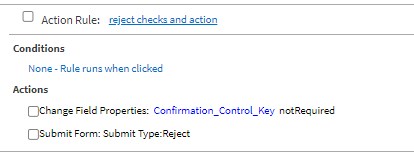
Add as many change field properties as you need for your required fields to make then not required.
The submit form action has to be the last rule.
HTH
Sigrid
------------------------------
Sigrid Kok
PSE | Winshuttle NA