Hi Sigrid,
The popup was already there, but if I remember correctly, the field selection was done automatically instead of now manually?
Anyway, it works fine now.
I would like to use the BAPI option, but we are not allowed to use it but thanks anyway.
Regards,
Tom
------------------------------
Tom Schurink | Manufacturing engineer metal
Signify Netherlands B.V. | +31 650265650
------------------------------
Original Message:
Sent: 09-08-2021 10:39
From: Sigrid Kok
Subject: Error message 'The control could not be found by id.'
Hi Tom
Glad you got it resolved! :)
As far as I know, the pop-up for capturing read-only fields with GUI scripting has been there for quite some time. But you only need that if you are using an Indexed If - so for the ALT UOM field, which is read only. I never capture the buttons that way, such as reset views.
BTW, I much prefer using a BAPI for the maintenance of Alt UOM and other repeating entries in the MM. I have an example somewhere, if you'd like to see it.
Best Regards,
Sigrid
------------------------------
Sigrid Kok
PSE | Winshuttle NA
------------------------------
Original Message:
Sent: 09-08-2021 10:33
From: Tom Schurink
Subject: Error message 'The control could not be found by id.'
Hi Sigrid,
I created a new GUI script, and it seems to me that the identification of the disabled fields has changed with the switch from 740 to 760?
I clicked the popup button, but then you have to select the field manually and then click the button again.
So my new script is running again, thanks for your help.

Regards,
Tom
------------------------------
Tom Schurink | Manufacturing engineer metal
Signify Netherlands B.V. | +31 650265650
Original Message:
Sent: 09-07-2021 13:22
From: Sigrid Kok
Subject: Error message 'The control could not be found by id.'
Hi Jan,
Glad you could get the upgrade.
I'm sorry you're still running into issues. I'd suggest opening a support ticket, so that someone can walk through this with you.
Best Regards,
Sigrid
------------------------------
Sigrid Kok
PSE | Winshuttle NA
Original Message:
Sent: 09-07-2021 10:36
From: Tom Schurink
Subject: Error message 'The control could not be found by id.'
Hi Sigrid,
It took me a while but I got some help to install patch 12, but the problem is still the same.
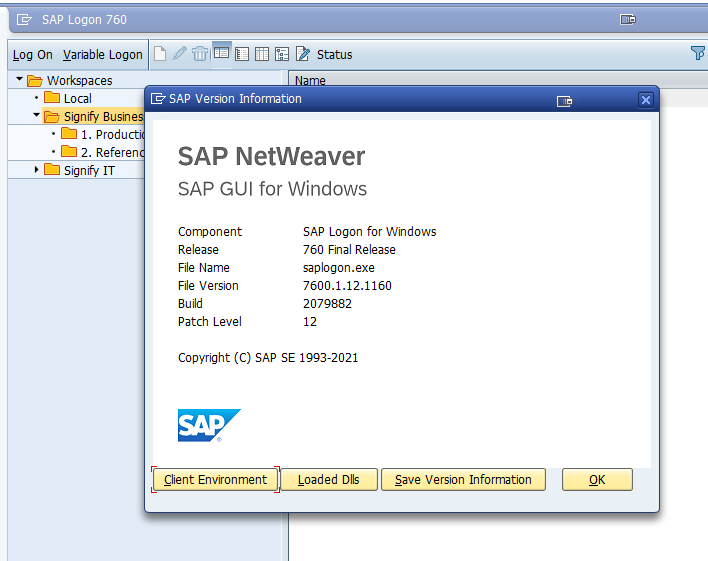
Regards,
Tom
------------------------------
Tom Schurink | Manufacturing engineer metal
Signify Netherlands B.V. | +31 650265650
Original Message:
Sent: 09-07-2021 10:03
From: Sigrid Kok
Subject: Error message 'The control could not be found by id.'
Hi Tom
You'd have to download it from the SAP Marketplace. While I have an "S" id (i.e. access), I don't have permission to download anything. Only a few people in our organization have this permission, so would suggest you speak to your SAP team to see who has access.
Best Regards,
Sigrid
------------------------------
Sigrid Kok
PSE | Winshuttle NA
Original Message:
Sent: 09-04-2021 01:53
From: Tom Schurink
Subject: Error message 'The control could not be found by id.'
Hi Sigrid,
My patch level is 6, how can I get the 9 version?
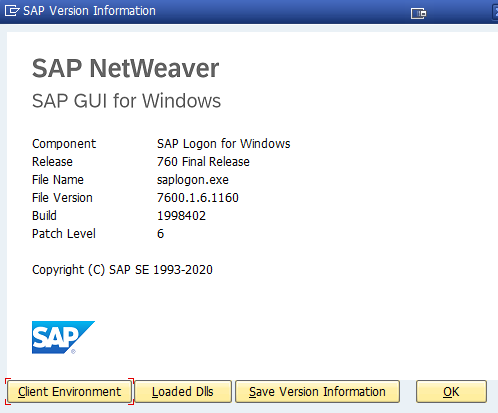
Tom
------------------------------
Tom Schurink | Manufacturing engineer metal
Signify Netherlands B.V. | +31 650265650
Original Message:
Sent: 09-03-2021 11:07
From: Sigrid Kok
Subject: Error message 'The control could not be found by id.'
Hi Tom - am using the same - please check your patch level
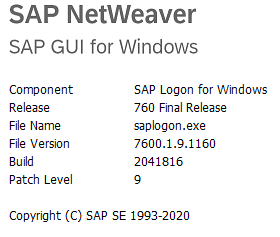 Sigrid
------------------------------
Sigrid Kok
PSE | Winshuttle NA
Original Message:
Sent: 09-03-2021 11:03
From: Tom Schurink
Subject: Error message 'The control could not be found by id.'
Hi Sigrid,
When I Use your script I'm getting the same error.
It seems that it has to do with SAP GUI 760 that I'm using, is that the same you are using?

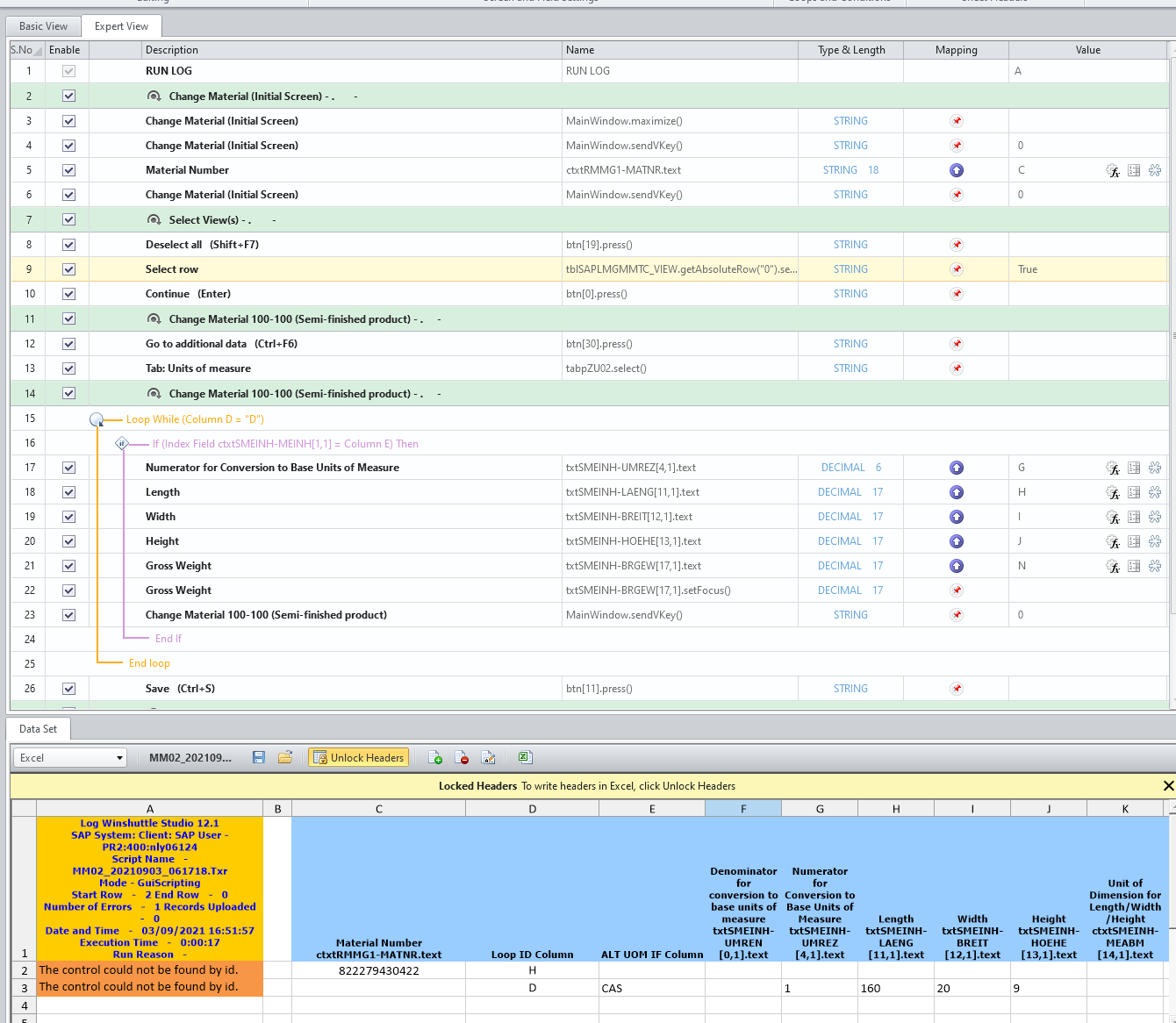
------------------------------
Tom Schurink | Manufacturing engineer metal
Signify Netherlands B.V. | +31 650265650
Original Message:
Sent: 09-03-2021 09:18
From: Sigrid Kok
Subject: Error message 'The control could not be found by id.'
Hi Tom
I tried your script in debug mode, and it's where you go to additional data that it fails. Are you sure about that function key?
Yours on the left - mine on the right.
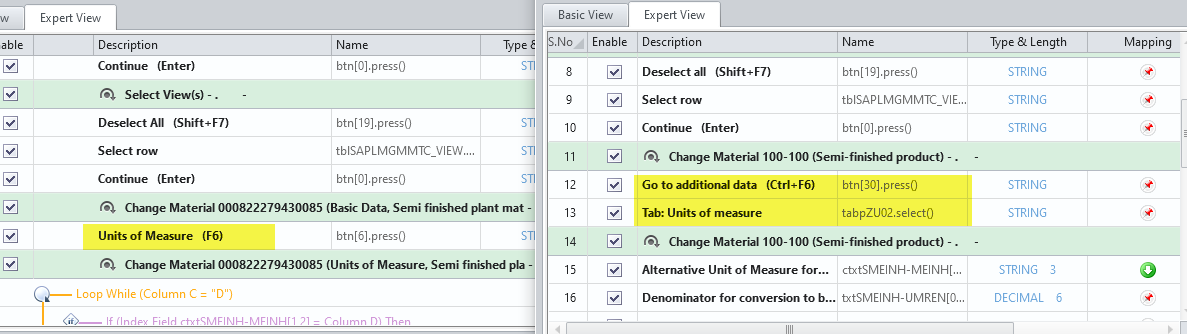 My version attached, with IF and Loop added.
HTH
Sigrid
------------------------------
Sigrid Kok
PSE | Winshuttle NA