Hi Vasu -
If you are trying to add the header note during the PO creation, with those particular types of long texts, even if you record the "correct" long text yourself, it is still only going to select the first one or the long text that already has data in it (default text, etc). Selecting the right long text in that transaction is not easy in standard recording modes.
It will be much easier to do a follow-up ME22N or even ME23N (can link the ME21N and second script also) and add the header note as a secondary step, and use the built-in Studio long text functionality. In an ME22N, once recorded, you don't even have to save, you can just exit after entering the PO number, you can use the "Add Long Text" button in the mapper to select the header text you want to add. It will show additional fields in the mapper related to the long text and then you will make the required mappings.

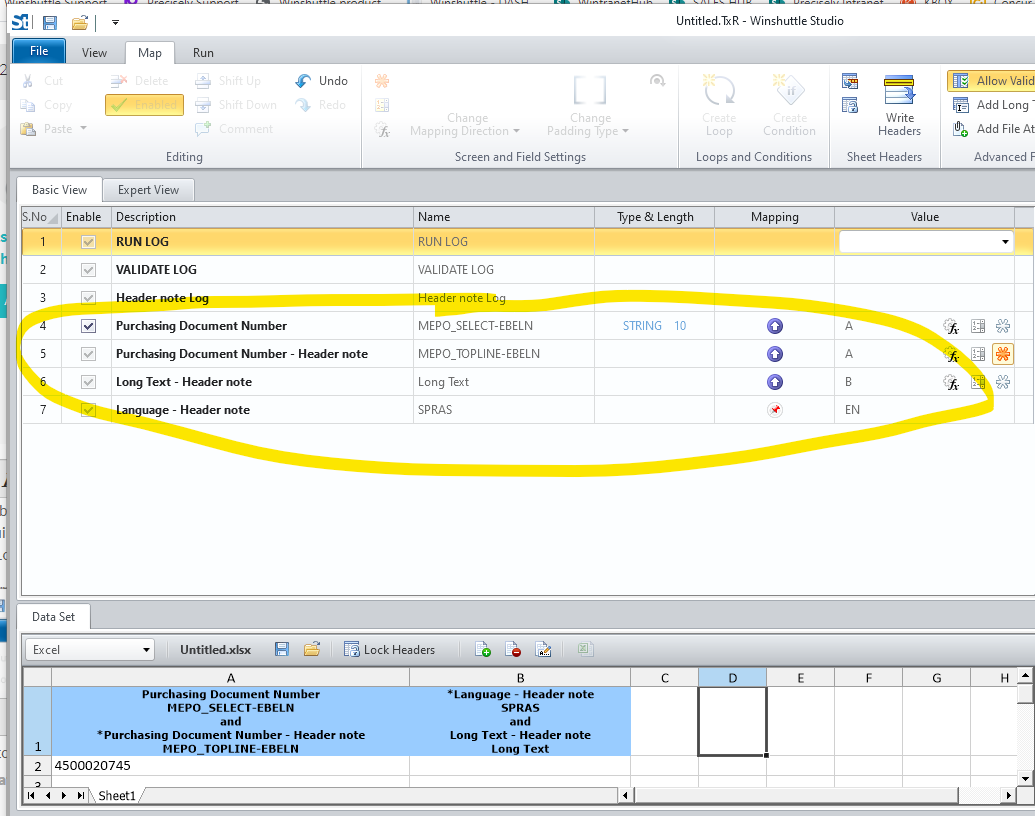
You will need to be on Studio 11 or 12 for this.
Thanks!
------------------------------
Jennifer Hwang | SE
Winshuttle North America
------------------------------