Hi Vicky
Not 100% sure I know what you're running into.
I did download the script and template, and even though the data doesn't match my system, I did a validate to see when the script would stop.
It ran through row 16 even though the data appeared to stop on row 7.

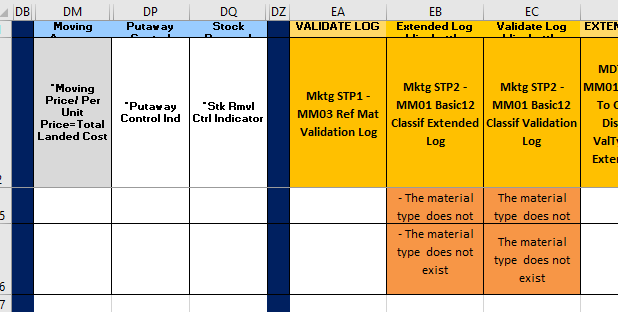
I deleted what appeared to be blank rows, although I suspect there were spaces in at least one column. Validate stopped after 3 rows.

So if you're experiencing what I did above, it could be those rows that appear empty actually have data (spaces) in them somewhere.
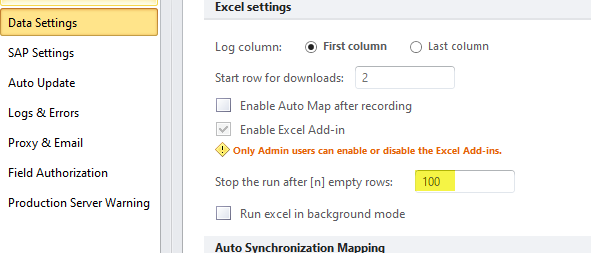
Also for ending a script, check the Options - Data Settings - Stop after x number of empty rows. My value is set higher than the default
HTH
Sigrid
------------------------------
Sigrid Kok
PSE | Winshuttle NA
------------------------------