Automate

 View Only
  • 1.  How to Waite in workflow to send User the pdf of Form along with all the log

    Posted 06-07-2021 05:56
    Hi Community,

    I am new developer in Winshuttle, and stuck at a solution.

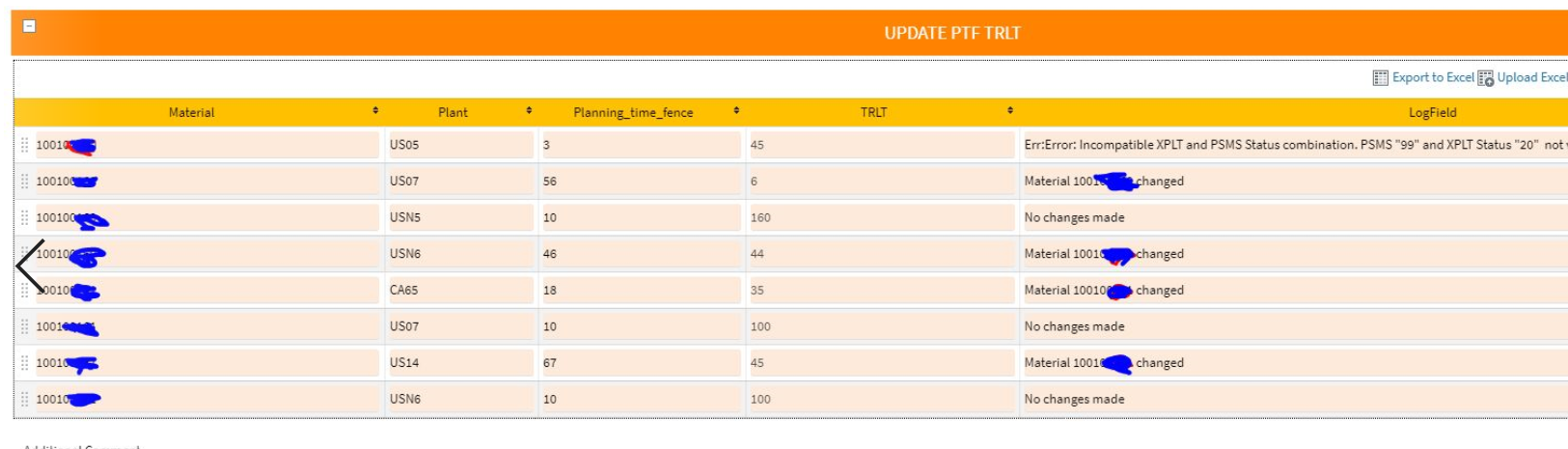
    My application should be to collect data from user and , once approver approves , the backend process will run the records and log will be visible next to each row of data shown below.
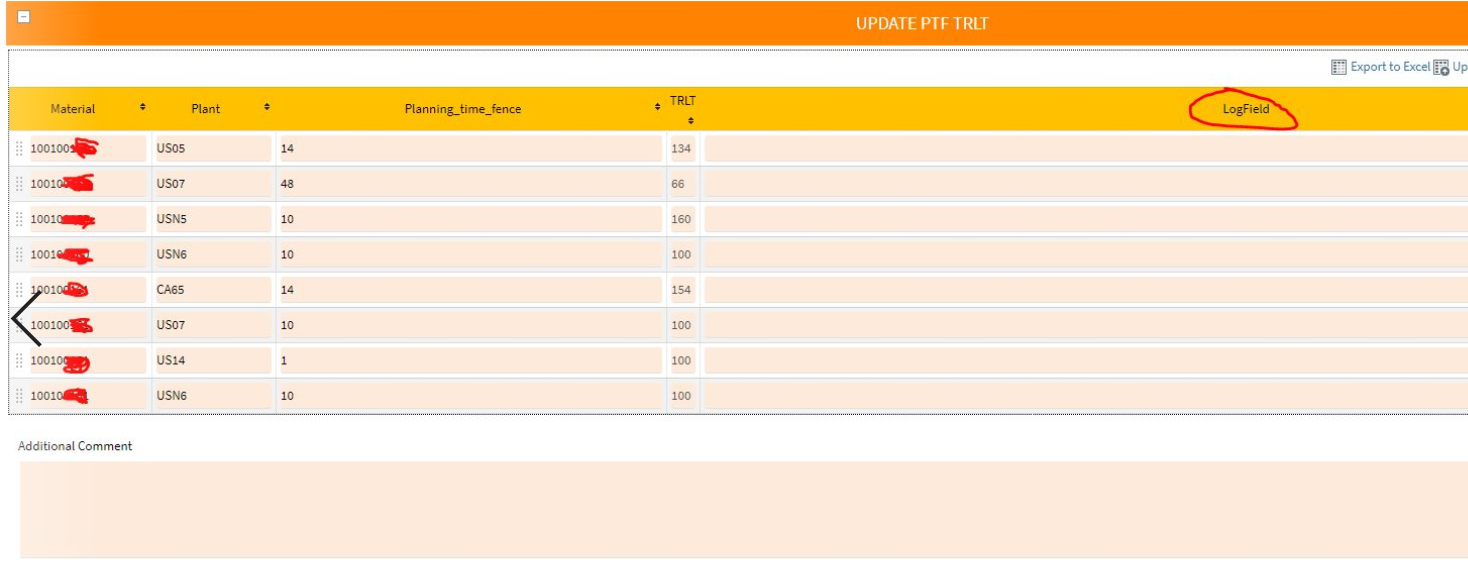

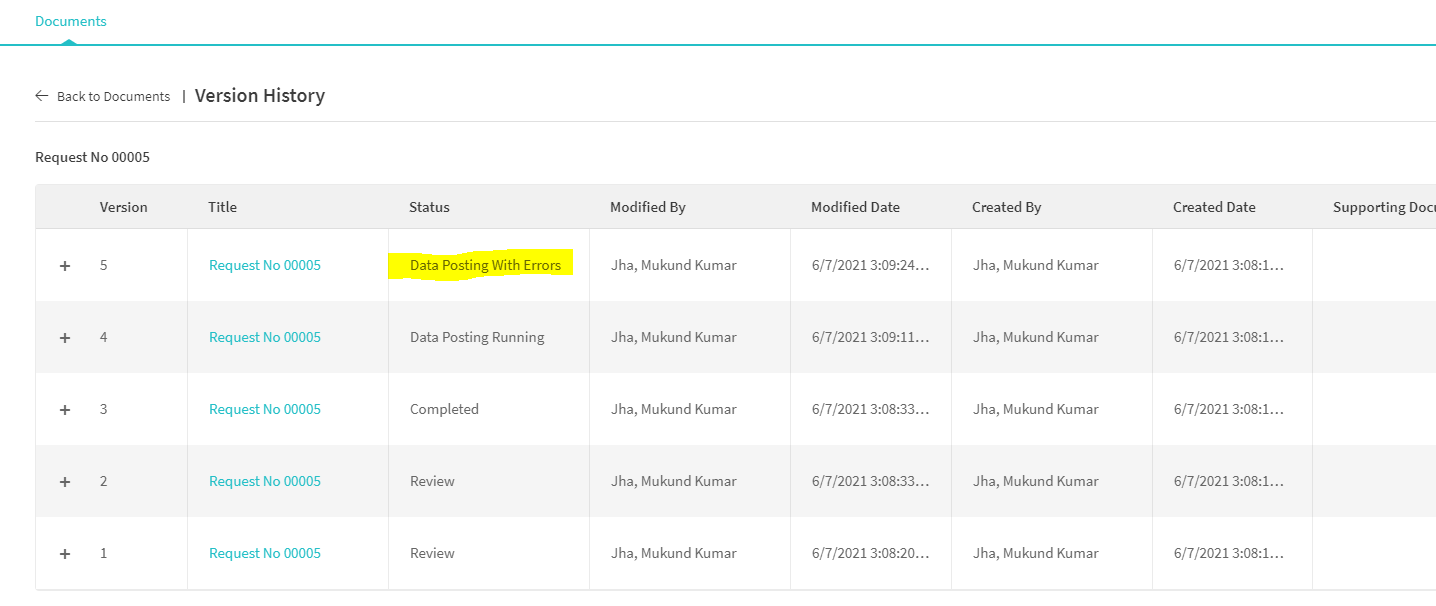
    Now, My application is working and it is posting data, and logs are generating. but I want the "form" with logs generated send to user at the end of the process. In the below screen if you see the version history of the of the document, I want the form in pdf should go to user on 5th step when Status says "Data posting with error". 


    My problem is when I am attaching form in work flow , it doesn't Waite until the end of processing and send the form without log.

    I want the user to receive the " form" like below.


    Can you please help me with flow? How can I achieve the above requirement. 

    Warm regards,
    Mukund K Jha

    ------------------------------
    Mukund Kumar Jha | Sr. System Analyst
    Timkensteel Corporation | 8981115351
    ------------------------------


  • 2.  RE: How to Waite in workflow to send User the pdf of Form along with all the log

    Employee
    Posted 06-14-2021 15:07
    Hi Mukund

    You can use the notification node, and then choose a view that has the messages.  Typically this is a view later in the process and/or what is called a completion view.
    Notification node property

    View property

    Hope this helps,
    Sigrid


    ------------------------------
    Sigrid Kok
    PSE | Winshuttle NA
    ------------------------------


  • 3.  RE: How to Waite in workflow to send User the pdf of Form along with all the log

    Posted 06-22-2021 06:28
    Hi Singrid,

    Thanks for replying to my query.

    I tried your suggestion and ran the process. But still it doesn't pick all the logs. But it has picked first few lines.


    I really appreciate the response.  I am looking forward for solution which will resolve this delay sending notification.

    Also I can see there is a Send Delay option , but that field only takes number , it doesn't tell if its minutes or hour or day.

    When I kept value 1 in that , I didn't get notification at all for more than 3 hours and writing this reply. I will respond if I get notification at all in a day perhaps.

    Warm regards,
    Mukund Jha

    ------------------------------
    Mukund Kumar Jha | Sr. System Analyst
    Timkensteel Corporation | 8981115351
    ------------------------------


  • 4.  RE: How to Waite in workflow to send User the pdf of Form along with all the log

    Employee
    Posted 06-22-2021 09:25
    Hi Mukund

    It might help if you attach your workflow.  I can take a look at it and make a better suggestion.

    Just an FYI that making the view a process completed view does not change the view.

    You would create a separate view that you would see if you try to open the workflow instance after it has completed.  So all steps are done - including data collections, approvals and postings.  I usually make a copy of a view that has everything on it, make everything read only, and make it the process completed view.

    As far as receiving emails, you'll need to check with someone who is global admin.  There are email settings you must make to both send and receive emails.   For Evolve, the settings are documented here:  https://docs.winshuttle.com/evolve-en-20-1-online-help/mail.htm 

    Best Regards,
    Sigrid

    ------------------------------
    Sigrid Kok
    PSE | Winshuttle NA
    ------------------------------