Hi Milly
Some of it varies by tcode and how you save the output. The part that guides you to where to save the file and name it often requires GUI scripting. Sometimes that doesn't work, however most of the time it does.
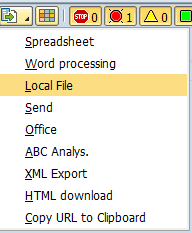
For this one, you might be able to try this - if you're running in SE38 - for export choose LOCAL FILE
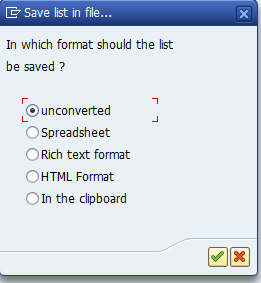
then choose the format - I picked SPREADSHEET
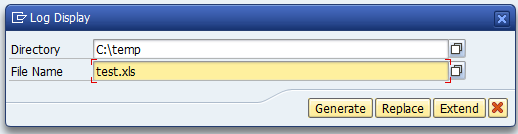
then enter the path and file name and click GENERATE.
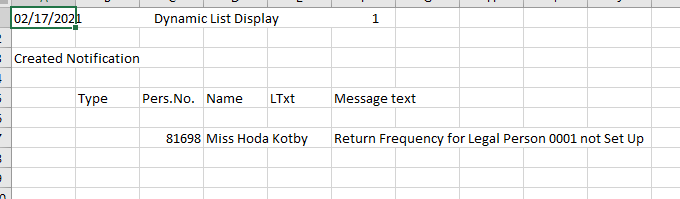
My file contained this - I don't have good data
If that's what you're running, it may work in non-batch or batch instead of GUI scripting. Please give it a try, if that meets your needs.
Best Regards,
Sigrid
------------------------------
Sigrid Kok
PSE | Winshuttle NA
------------------------------