Hi All
For those that may not know this - either new or haven't had training - if you make a change to a script and want to re-publish it to an Excel workbook, you may get an error in Studio that a script with the same name is already published.
To fix that you have two options:
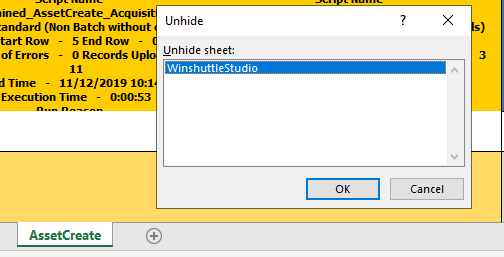
(1) If you unhide and delete that the WinshuttleStudio sheet in Excel, you can then republish from Studio. Note this deletes all published scripts
(2) There's also a Studio Utility that would allow you to selectively delete scripts, as well as edit a few of the attributes. You would request that utility via a support ticket: https://support.winshuttle.com/hc/en-us
The documentation on the utility is here: http://winshuttle-help.s3.amazonaws.com/studio/en/connect-sap/help/11/studio-v11-utility-kit.htm
Best Regards,
Sigrid
------------------------------
Sigrid Kok
PSE | Winshuttle NA
------------------------------