Automate

 View Only
  • 1.  Discussion: Strategies for Managing Data Submission Files (Foundation)

    Posted 04-11-2019 13:33
    Hello community,

    I am seeking input on how other organizations have chosen to manage their data submission files within Foundation. Currently every transaction script that we run submits a data file to our Data Files library within Foundation:
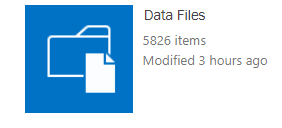
    Sharepoint Data Files Library
    As you can imagine, this library grows quite large rather quickly. We recently hit our Sharepoint list view threshold (5000) which prevented us from searching or accessing any of the files in this library, so we had to bump up that threshold to 20,000 on our Sharepoint server:

    Sharepoint List View Threshold
    While this temporarily fixed the problem, this does not fix this issue indefinitely. We will run into this exact same issue again as we approach/pass 20,000 and I don't want to keep increasing that threshold if it can be avoided.

    Currently this library is one big library (no indexes, no sub folders, etc.) with 8 months worth of submitted data files.

    So...

    What are some strategies that you guys have used to manage these data file submission libraries?
    - Indexing? Which fields? How?
    - Submit to separate folders within this library?
    - Is there a way to archive old folders?

    Appreciate any insight you can provide!

    ------------------------------
    Kyle Stengel | SAP Data Analyst
    Patterson Companies | (651) 681-3826
    ------------------------------


  • 2.  RE: Discussion: Strategies for Managing Data Submission Files (Foundation)

    Posted 04-12-2019 08:56
    ​We are testing an archive system with our test environment. It is just a subsite where everything should be transferred monthly.

    ------------------------------
    Anne Roselli | Accounting Systems Specialist
    McKesson Corporation | 2145076353
    ------------------------------


  • 3.  RE: Discussion: Strategies for Managing Data Submission Files (Foundation)

    Posted 04-12-2019 11:54
    Just a note, you may want to consider creating a new/separate site collection for archiving (from what I understand, this keeps the content database for your 'active/non-archives' site collection running smoother/more efficiently).

    ------------------------------
    Jeremie Dippel
    Project Engineer @ Rockwell Automation
    Wisconsin Local Wug Leader
    I'm your huckleberry.
    ------------------------------


  • 4.  RE: Discussion: Strategies for Managing Data Submission Files (Foundation)

    Posted 04-12-2019 11:52
    Ah, the joys of the 5k list view limit.  How quickly did your list go from 0 to 5k?  What is the retention policy in your company for holding onto such files?

    Are you experiencing any changes/drops in performance when bumping the limit to 20k?  I've heard that 10k shouldn't be an issue, maybe even 15k, but beyond 15k list view limit, you start to see noticeable performance degradation (I've not experienced this, only what I've gleamed from conversations with others who have experience with these sorts of changes).

    What is causing the files to be placed in the "Data Files" folder... are you requiring data review prior to scripts being run against SAP?  We do not currently utilize data review in our organization, so the only data files that exist in our Central site are data templates (115 files).  In Foundation (we have parallel environments currently, as we transition from v10 to v11), we have no files in the "Data Files" folder (all of our data template files reside in the "Data Templates" folder).

    ------------------------------
    Jeremie Dippel
    Project Engineer @ Rockwell Automation
    Wisconsin Local Wug Leader
    I'm your huckleberry.
    ------------------------------


  • 5.  RE: Discussion: Strategies for Managing Data Submission Files (Foundation)

    Posted 04-12-2019 12:34
    In terms of performance, I haven't really noticed much of a difference in going from 5k to 20k, but I suppose it depends on what kind of "performance" we're talking about (speed of searches, sorting, etc.). I haven't seen any decrease in search speed or site loading time.

    By design, these data files are each "run" that a user executes with a transaction script. Since we use Foundation, we can set a submission path for each of those files to be this Data Files library. They don't have data review on them, but they act more as a source for audit so that if someone asks "what records did Bob update on 8/1/18?" we can point directly to the records via the submitted file. Because of this design, we went from 0 to 5k files in about 7 months.

    As far as retention policy goes, we don't have any predefined for Winshuttle, but I have run into applications where we would want to keep files for at least a year.

    I like the idea of archiving old files, but these files cannot actually be moved in mass, unless there is a way to move the entire library that I am missing. Would you suggest setting up a separate site or subsite and somehow moving the entire library there? What is the best way to do that?

    Appreciate all the insight you can provide.


    ------------------------------
    Kyle Stengel | SAP Data Analyst
    Patterson Companies | (651) 681-3826
    ------------------------------


  • 6.  RE: Discussion: Strategies for Managing Data Submission Files (Foundation)

    Posted 04-12-2019 13:42
    Hi Kyle,

    Exceeding 5000 items actually incurs a performance penalty as SQL will lock the SharePoint table until the list is loaded, with low concurrent loads it's not generally noticeable, but higher usage it can significantly slow the system. It's best to stay under that threshold in all cases. There are several ways to do that on a Winshuttle Foundation site.

    1. Create a new Foundation site and site collection when:
      • A group creating and using scripts needs different Foundation preferences (require/do not require workflows, system account/user account for scheduled jobs, etc...)
      • The owners of the site must be different. This is common when a group wants to manage their scripts directly, but shouldn't manage another group's scripts.
      • Content must be highly segregated.
      • You do want to manage permission groups for multiple libraries or folders.
    2. Create new Script or Data File libraries when:
      1. None of the above applies.
      2. You want to keep content on the same site.
      3. You are comfortable managing individual SharePoint groups or your AD groups are well maintained.
    3. Create folders in the existing libraries when:
      1. You do not to manage different Foundation site or libraries.
      2. Have fast growing content.
      3. May not need to segregate content, but merely keep it under a list threshold. Folders act as mini-lists in that each folder maintains it's own 5000 item threshold.
    If you do not care about the metadata, you can move files file WebDAV and File Explorer. I've rarely encountered a use case where the metadata was not important. There is a PowerShell option, Export-SPWeb and Import-SPWeb that can be used to move libraries intact with various options. You can even repeatedly use this as there an option to ignore files that already exist.  However, it won't delete files form the original list so you could use WebDAV, or create a view to mimic your archive range, select all and delete from the ribbon.

    ------------------------------
    Joshua Whitener | Technical Advisor
    Exxon Mobil Corporation | 8326258441
    ------------------------------